Drive connected,
Live smart
Trip apps don't read your car's data. Scan tools don't track your costs or your maintenance, and they say nothing about how you drive. And none of them connects the car to your smart home. Car 2 Home does all of it, with an off-the-shelf OBD adapter.

 Coming soon to iOS and Android
Your car knows. You don't.
It measures the fuel, counts the kilometres, stores the faults and knows where it parked. All of that is sitting in there, waiting for someone to ask.

The car starts the app
Trips begin when the engine answers. You never press start.

Your car under control, in one place
Fill-ups, expenses, services, income and reminders, organised per vehicle.

Over 20,000 fault codes
With symptoms, cause and solution. The garage has no signal and doesn't need one.

Sensors nobody told you about
Over 120,000 manufacturer sensors (PIDs), validated and checked by the app when it connects to the car.

Native on both platforms
The same widgets on Android and iOS, live activities, voice shortcuts, Android Auto and CarPlay.

Your car data on the platform you already use
A native Home Assistant integration, and support for many other platforms, from OpenHAB to Grafana.
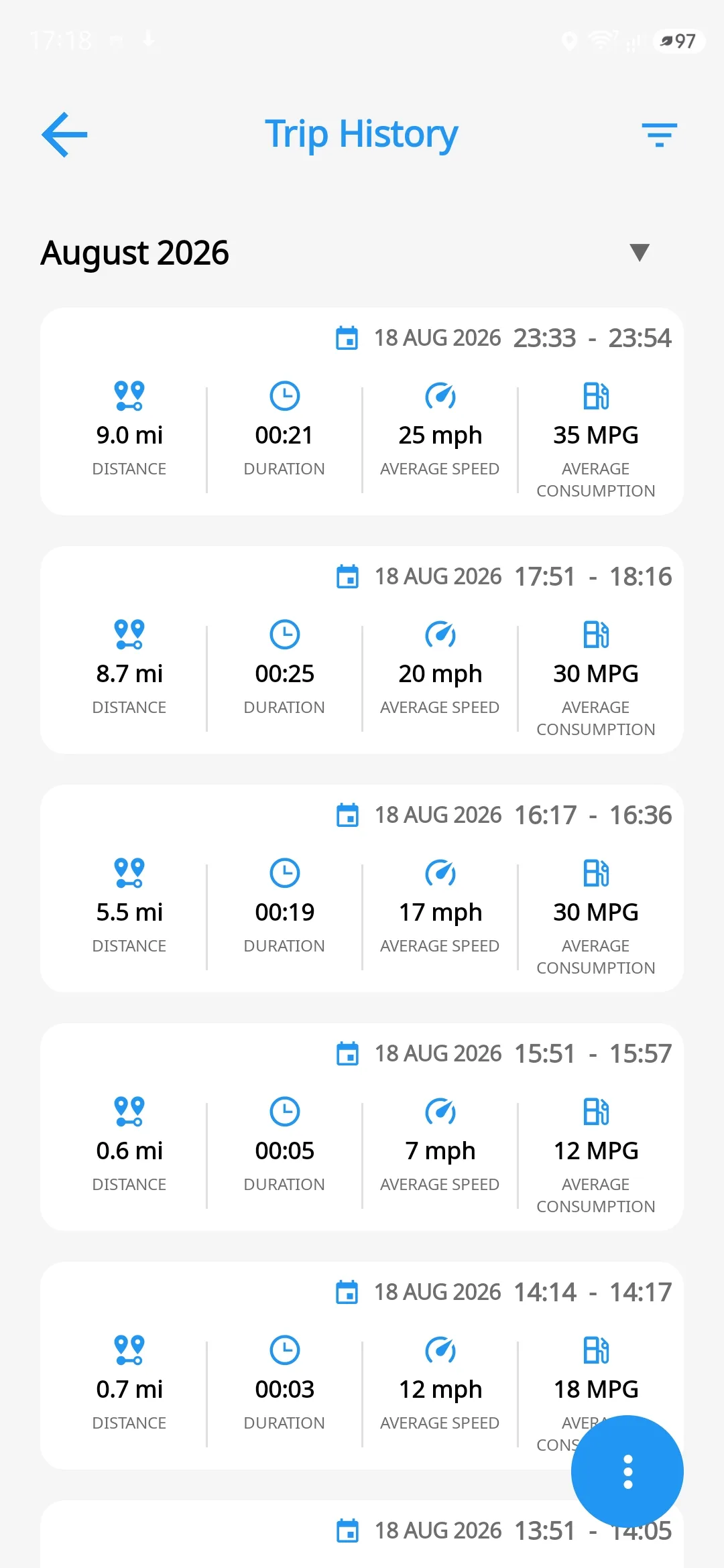
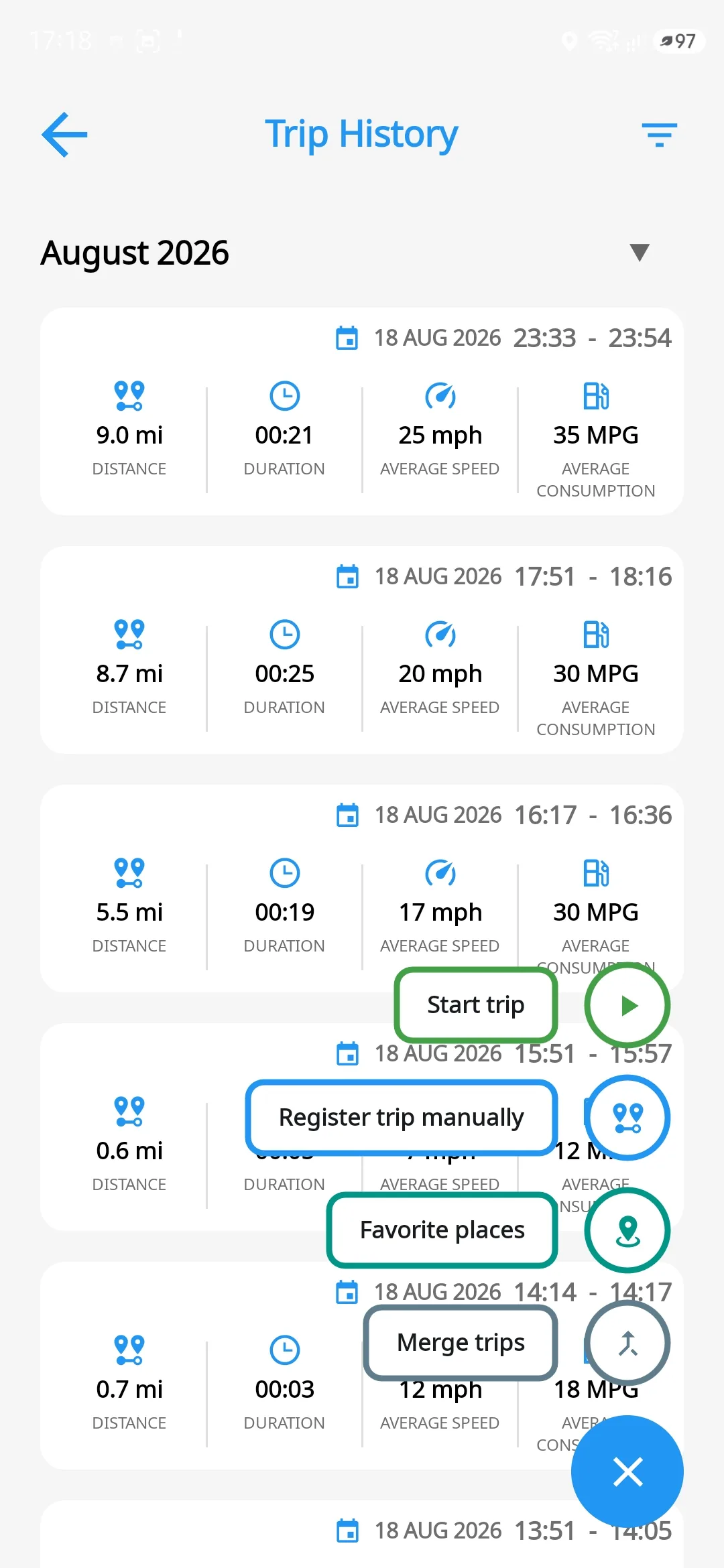
Trips logged automatically
The app notices the car started and begins recording. No button, no reminder, no forgotten drive.
- Logs consumption, average speed and other data from the car
- Measures distance from the car and from GPS, in parallel
- A stop at the lights doesn't split the trip in two
- Automatic trip description: from Home to Work
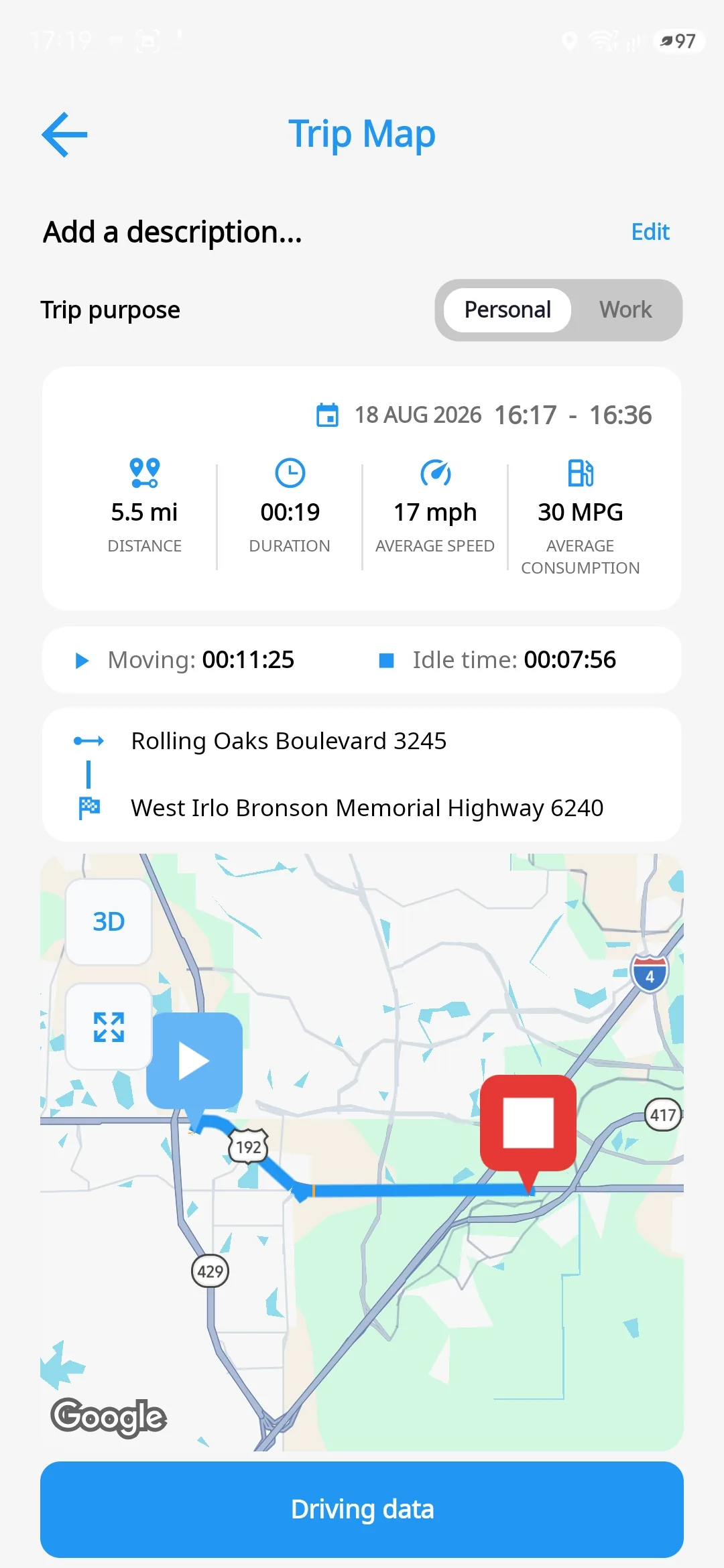
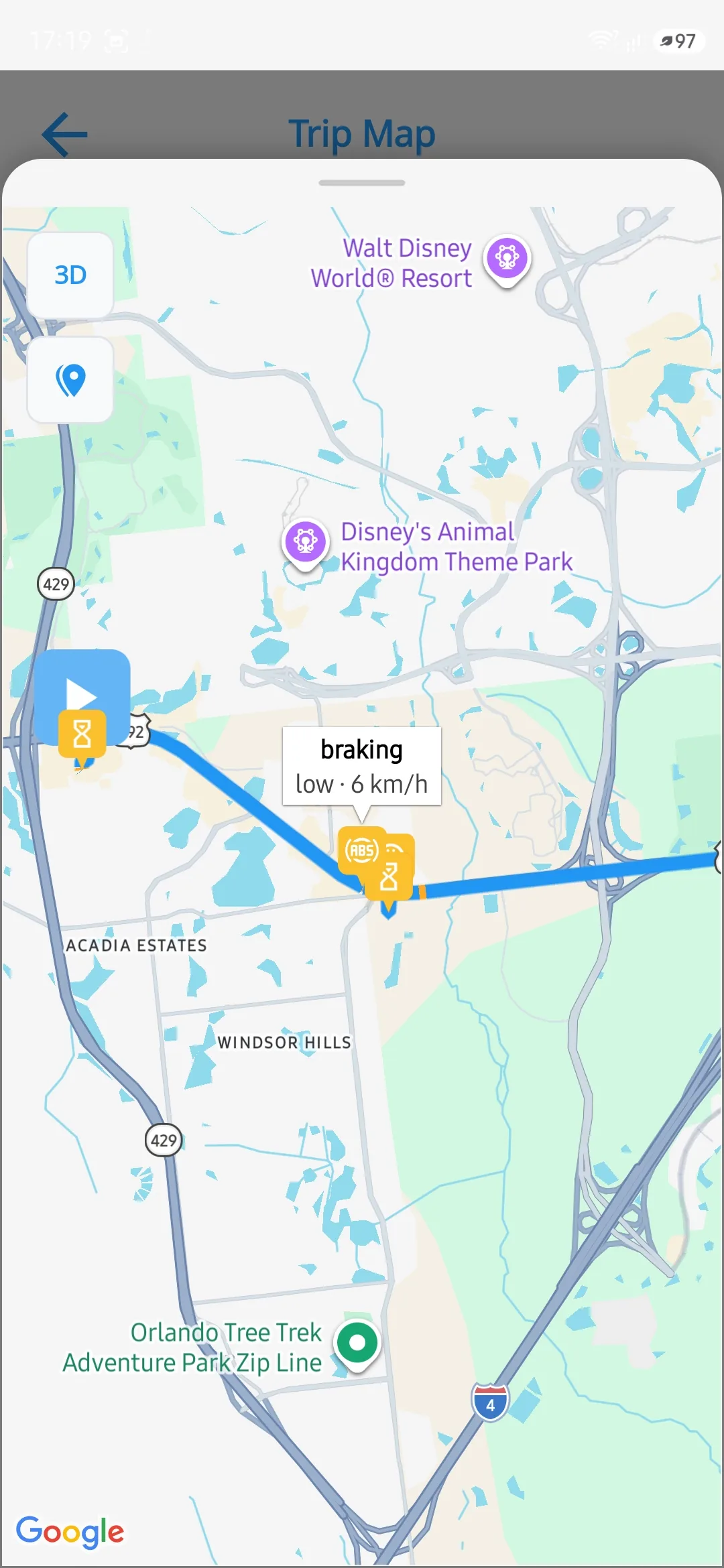
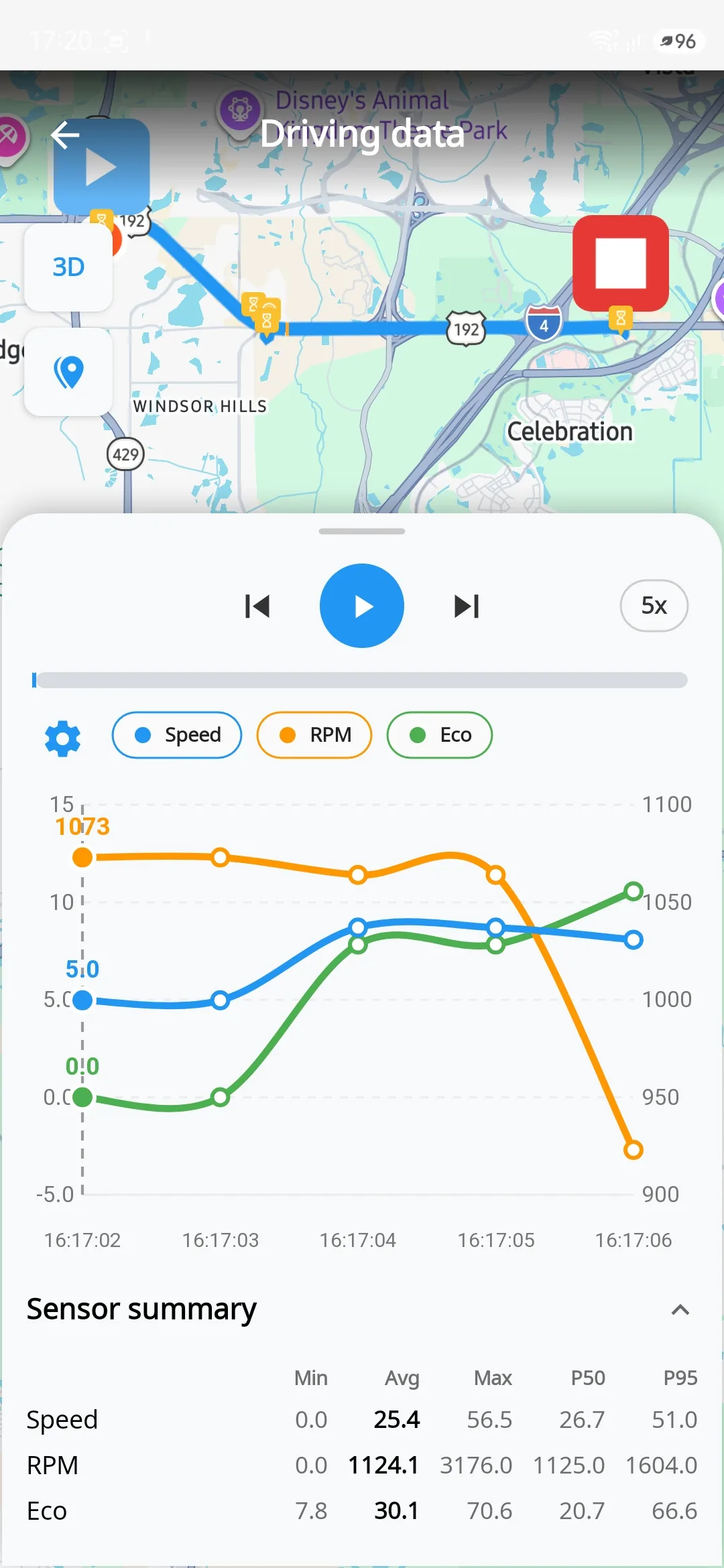
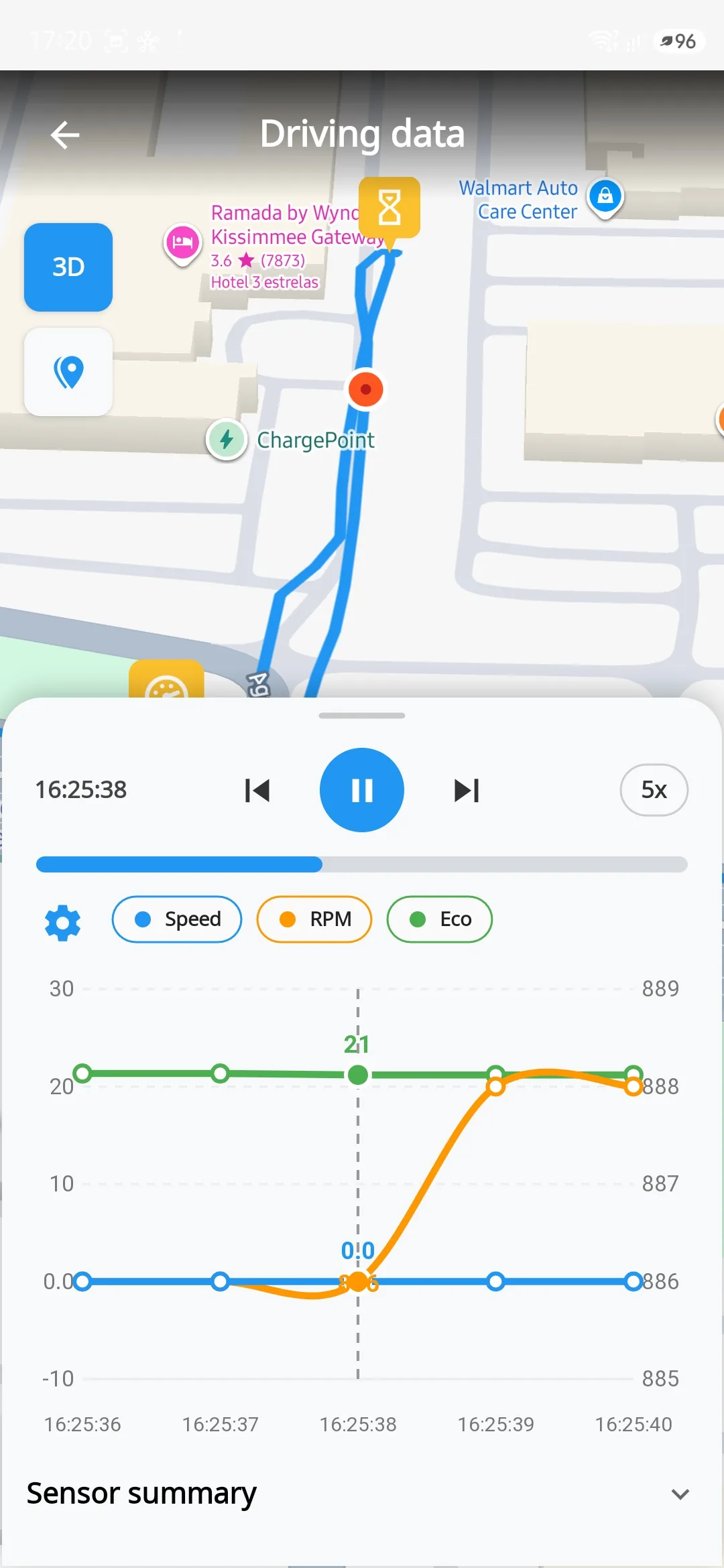
Watch the trip again, second by second
Replay any trip on a 2D or 3D map with the sensor charts moving under the cursor.
- Speed, RPM, consumption and other sensors in sync with the map
- If GPS drops, the app records the reconstructed route in orange
- Departure and arrival addresses, idle time, notes
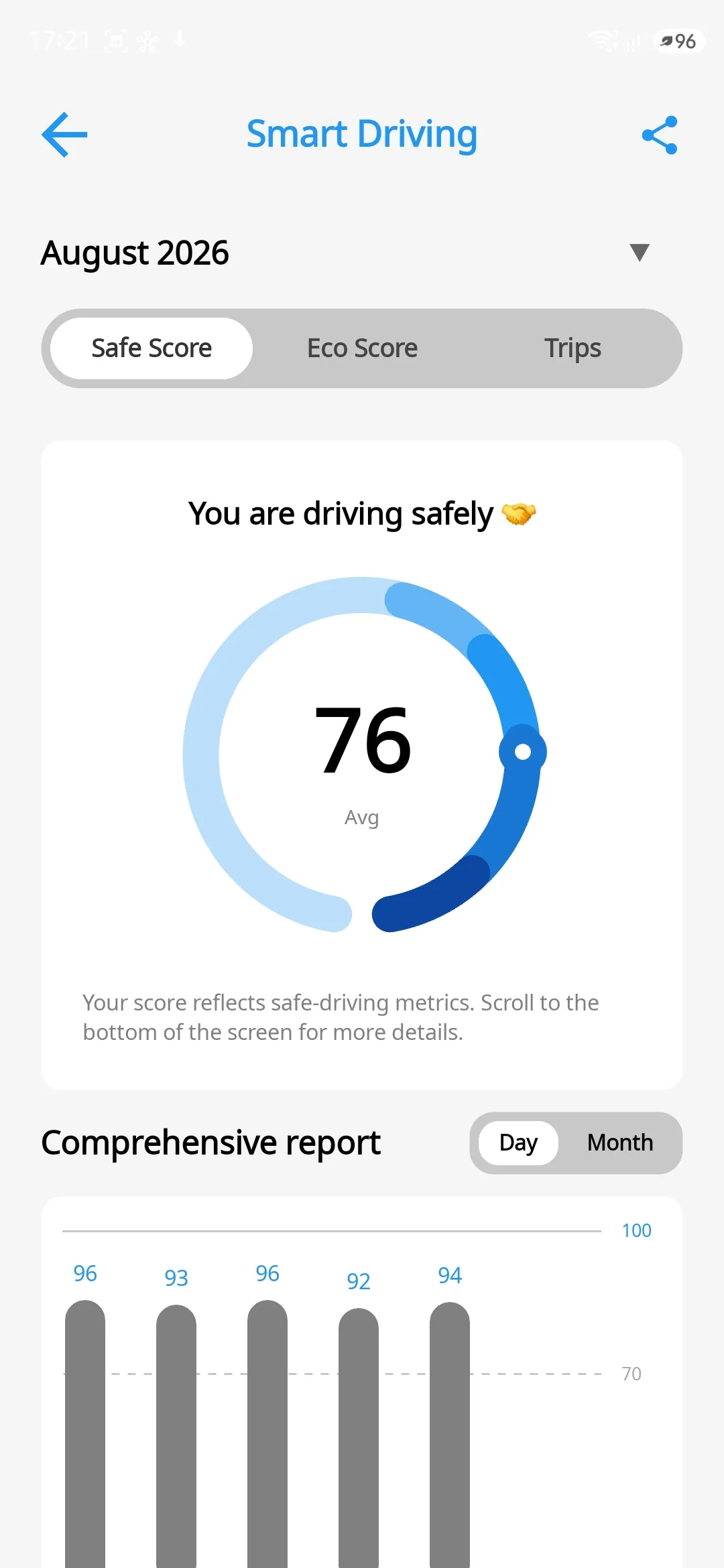
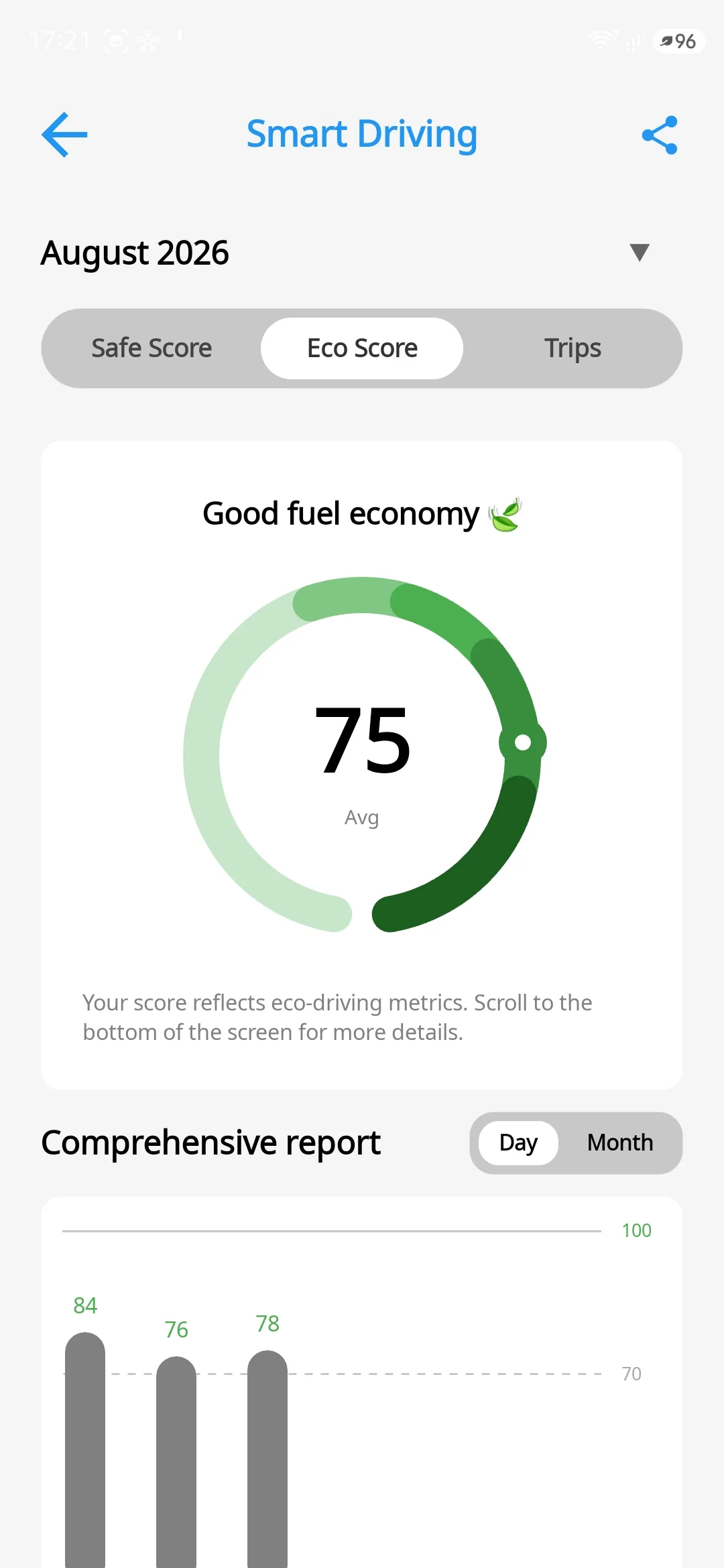
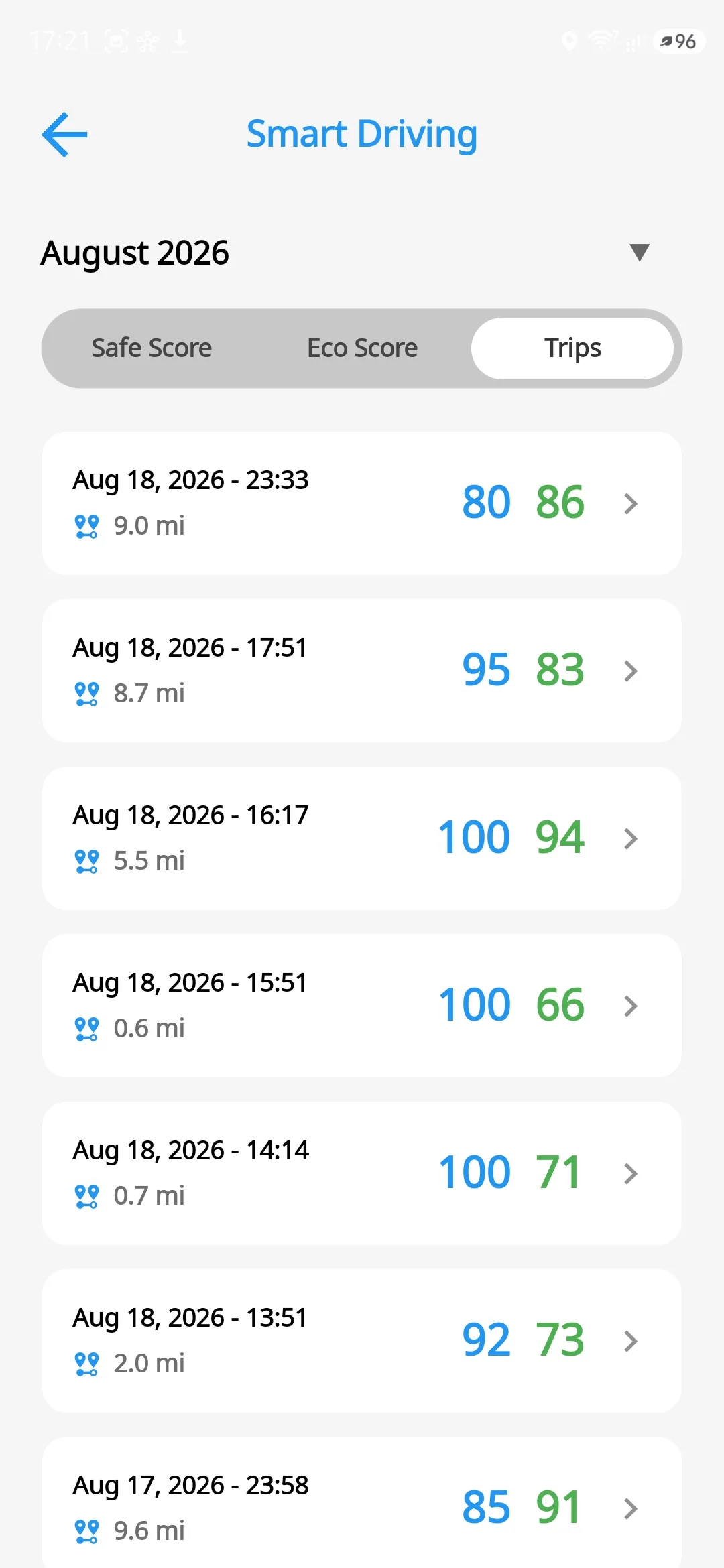
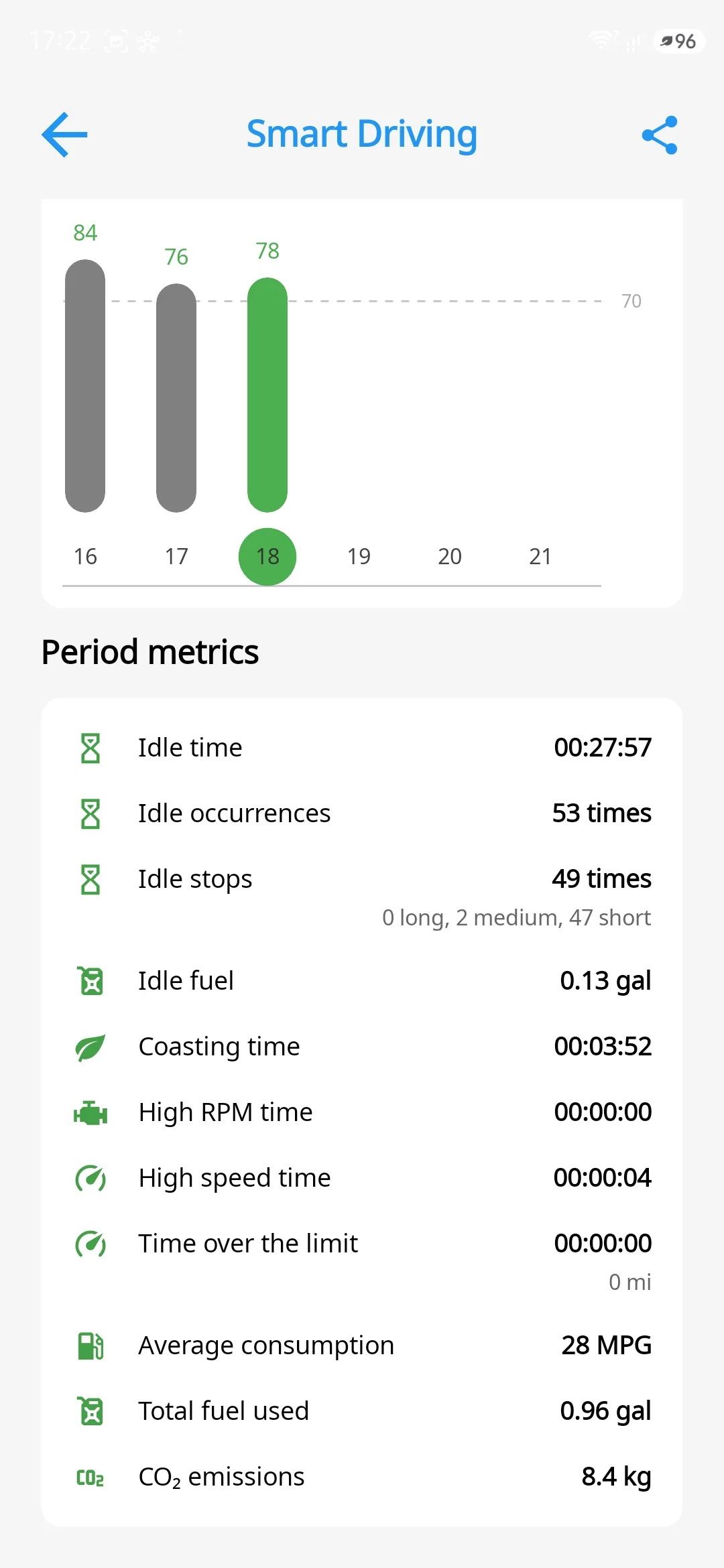
A score for how you actually drove
Two scores per trip that analyse how you drive, read from your car's own computer.
- Hard acceleration, braking, cornering and speeding
- Night driving and phone use behind the wheel
- It knows when the engine cut fuel on the overrun
- Daily and monthly trends with a detailed report
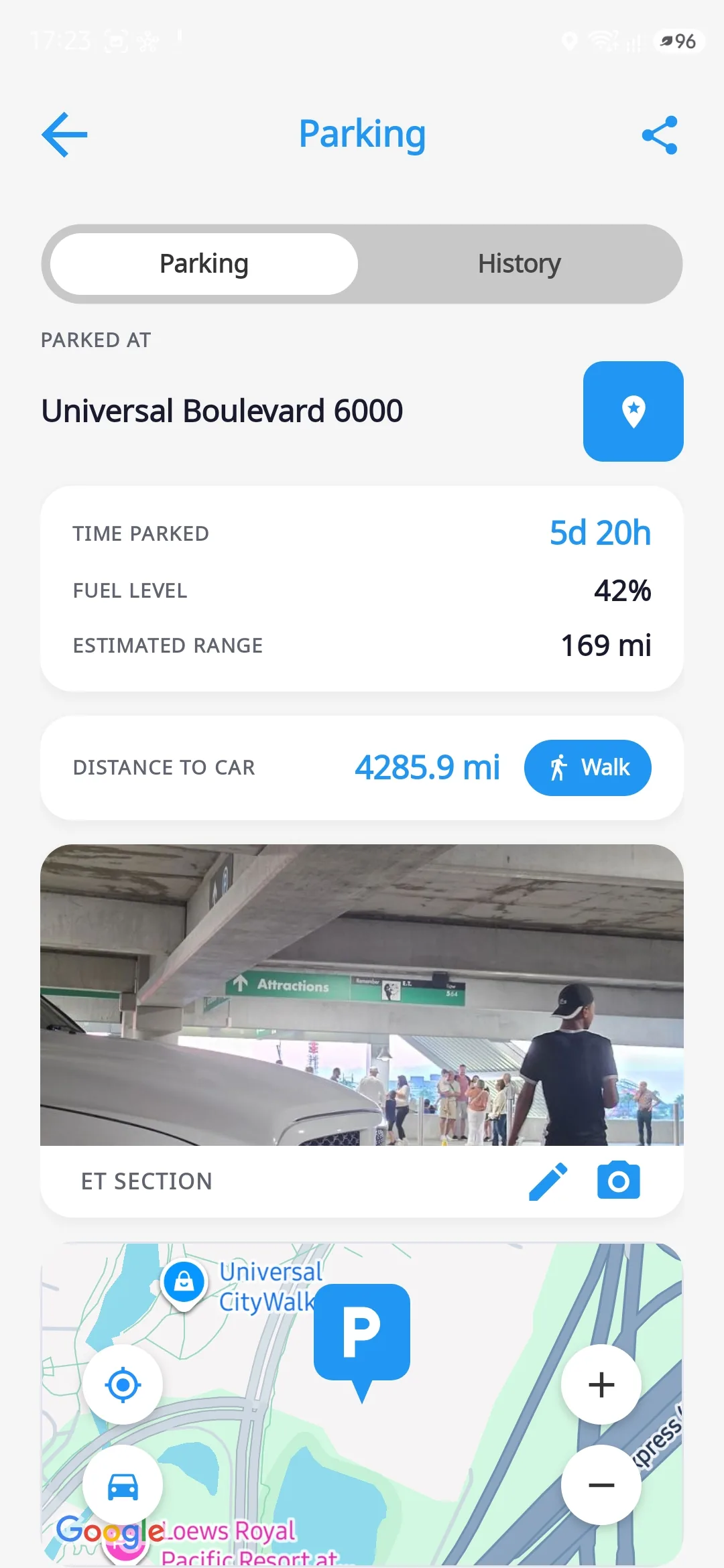
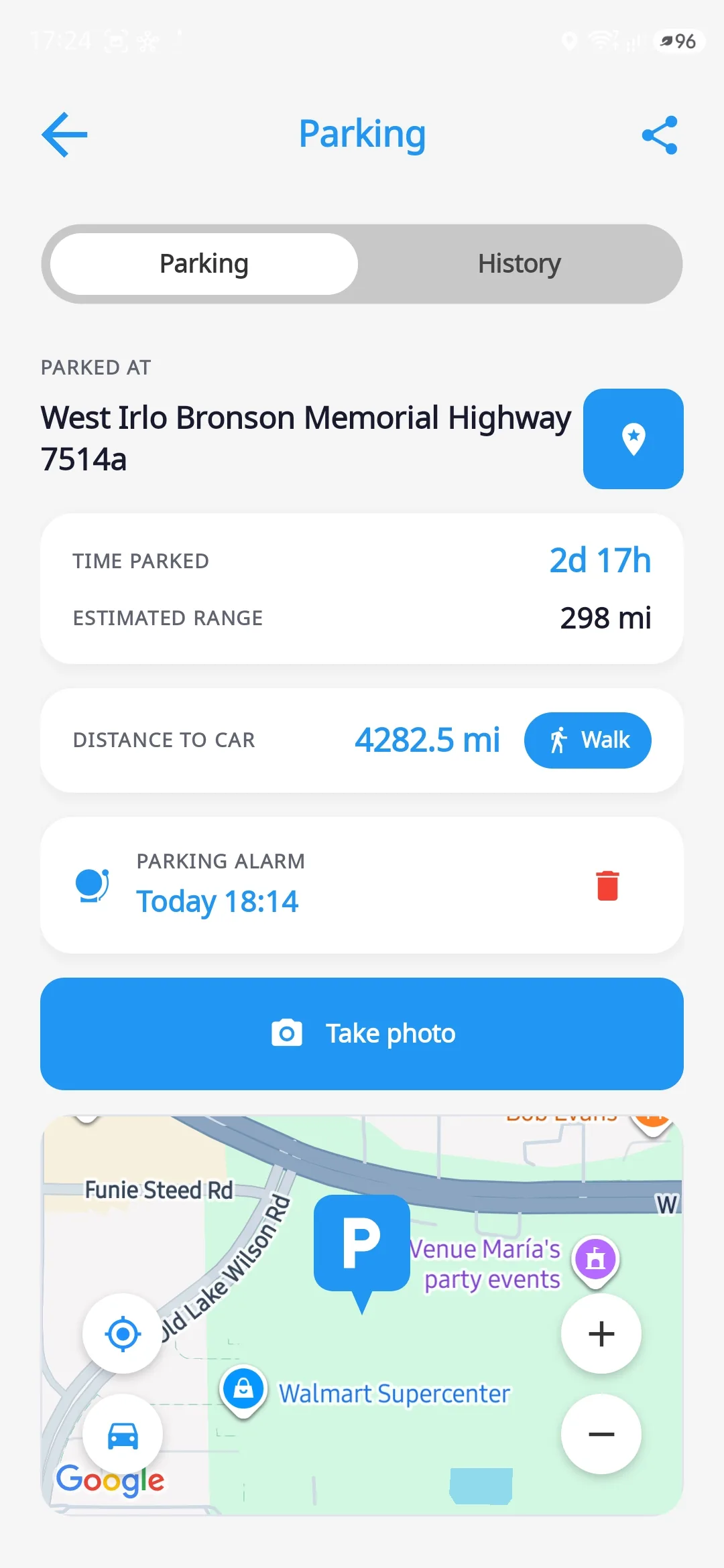
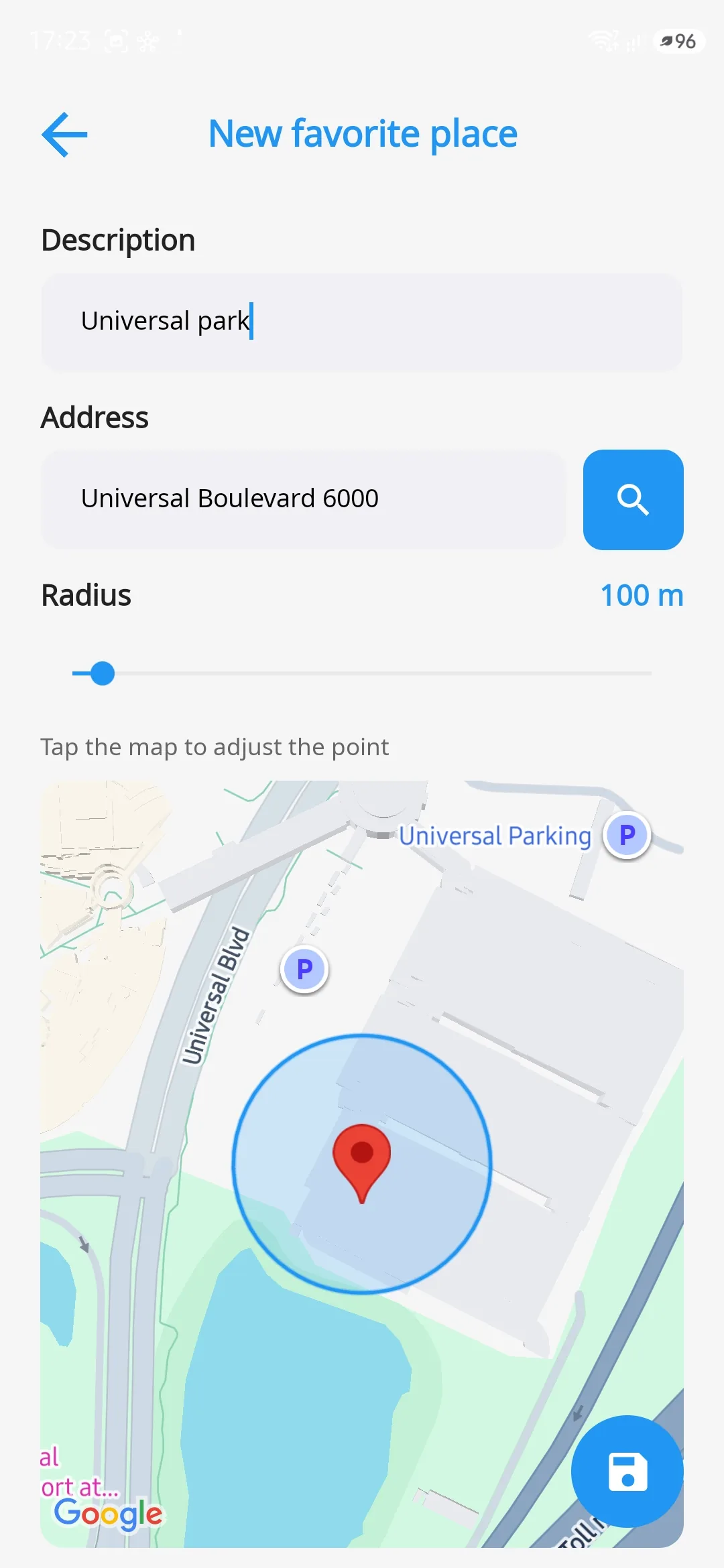
The car remembers where it parked
The moment a trip ends the spot is saved, with the address, the fuel left in the tank and the range you had.
- Save a photo and a note of the spot
- Start walking navigation back to your car
- Set an alarm for the parking time
- See on the map where the car parked
The app also brings acceleration and braking tests, a windscreen HUD, a dashcam that syncs with the trip, and tyre pressure read from the car itself, where your vehicle supports it.
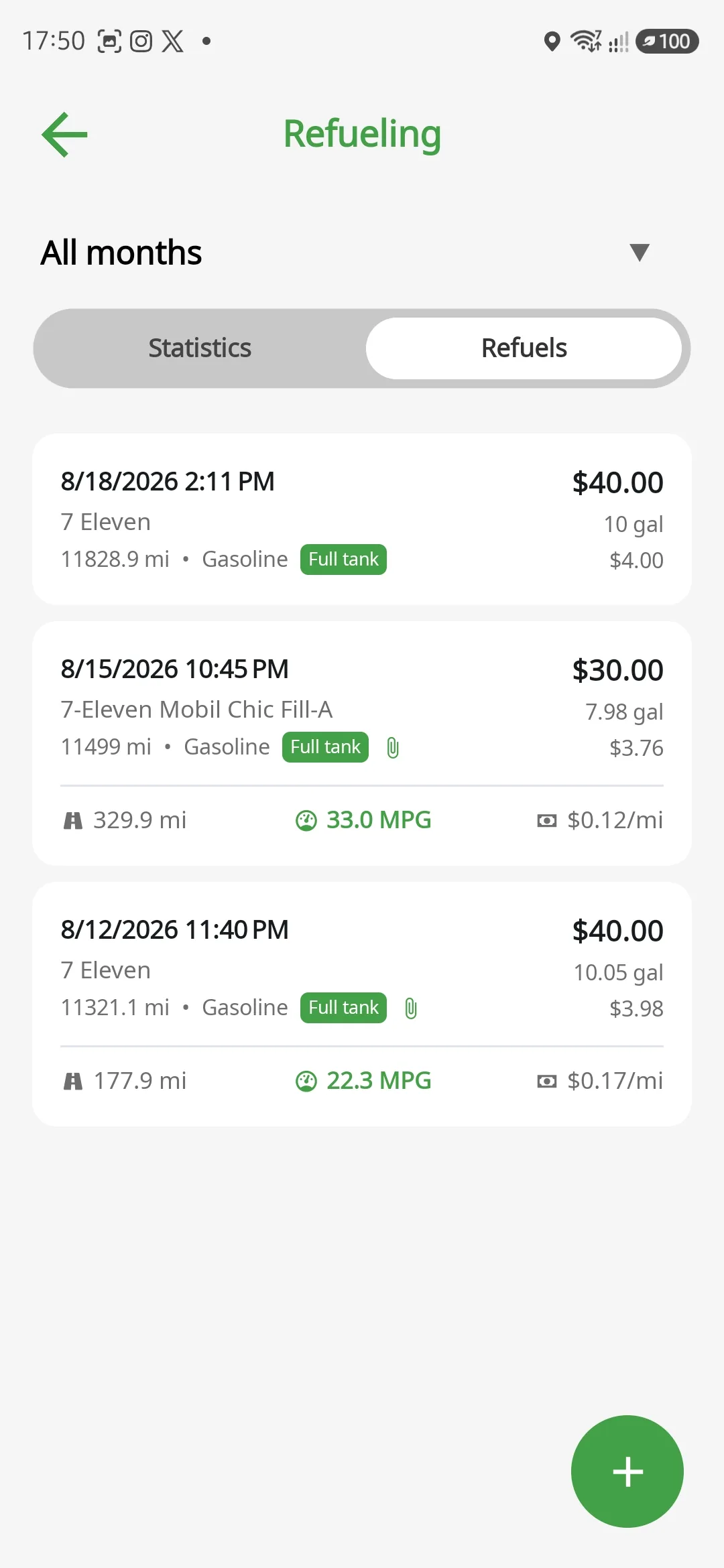
Fill-ups the way they actually happen
Three fuels in one fill-up, each with its own tracking. A plug-in hybrid gets a real km/L and a real km/kWh that don't mix.
- The station fills itself in from GPS
- The odometer comes straight from the car, not from your memory
- Attach the receipt or proof of purchase
- Ethanol or petrol? The app calculates the cost per kilometre
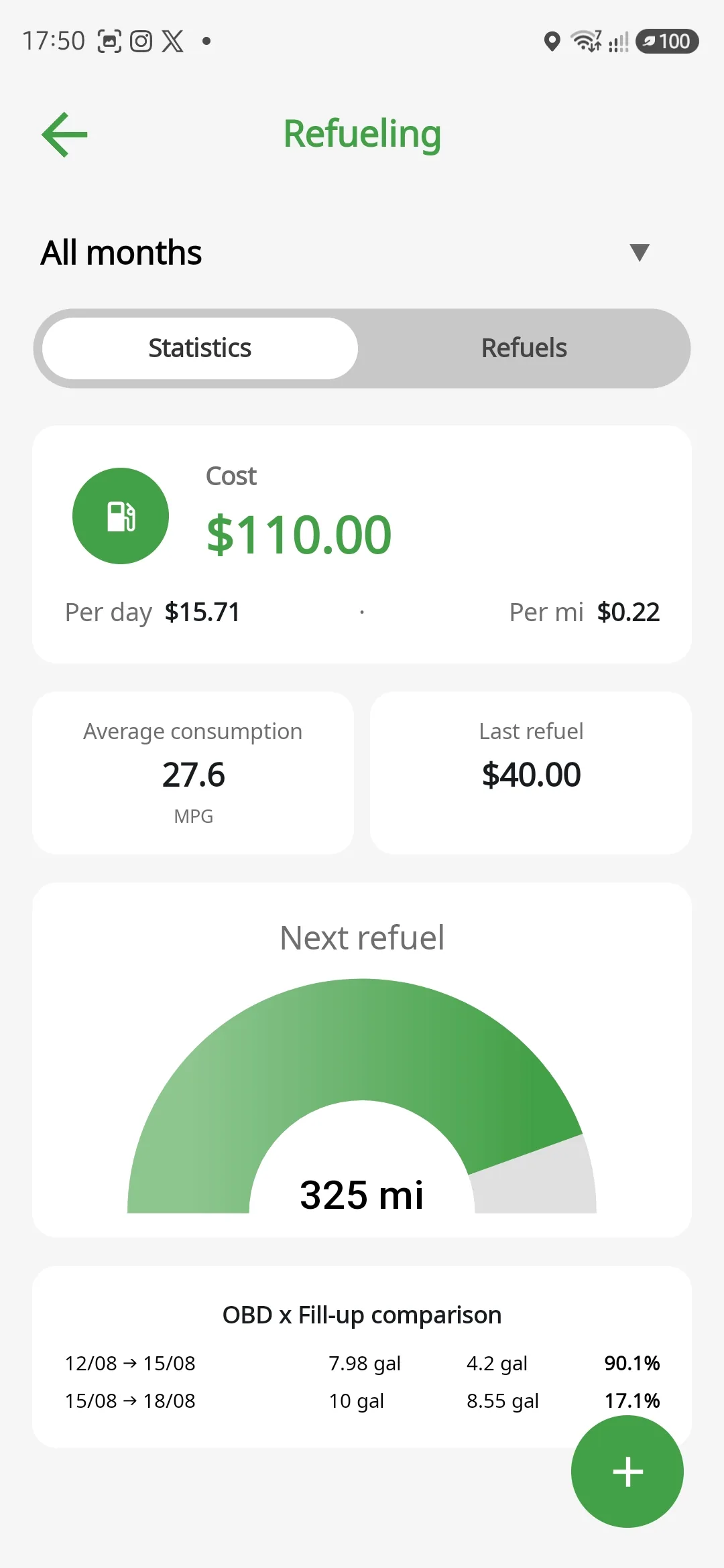
Know what you paid and what the car burned
Every fuel app has one number: the one you typed. This one has two. The litres you paid for and the litres the engine burned, side by side.
- Half a tank still counts, partial fills don't break the maths
- The next fill-up predicted from your car's own tank level
- Consumption from the median, so one typo can't move it
- An unusual tank becomes an alert, not a spreadsheet
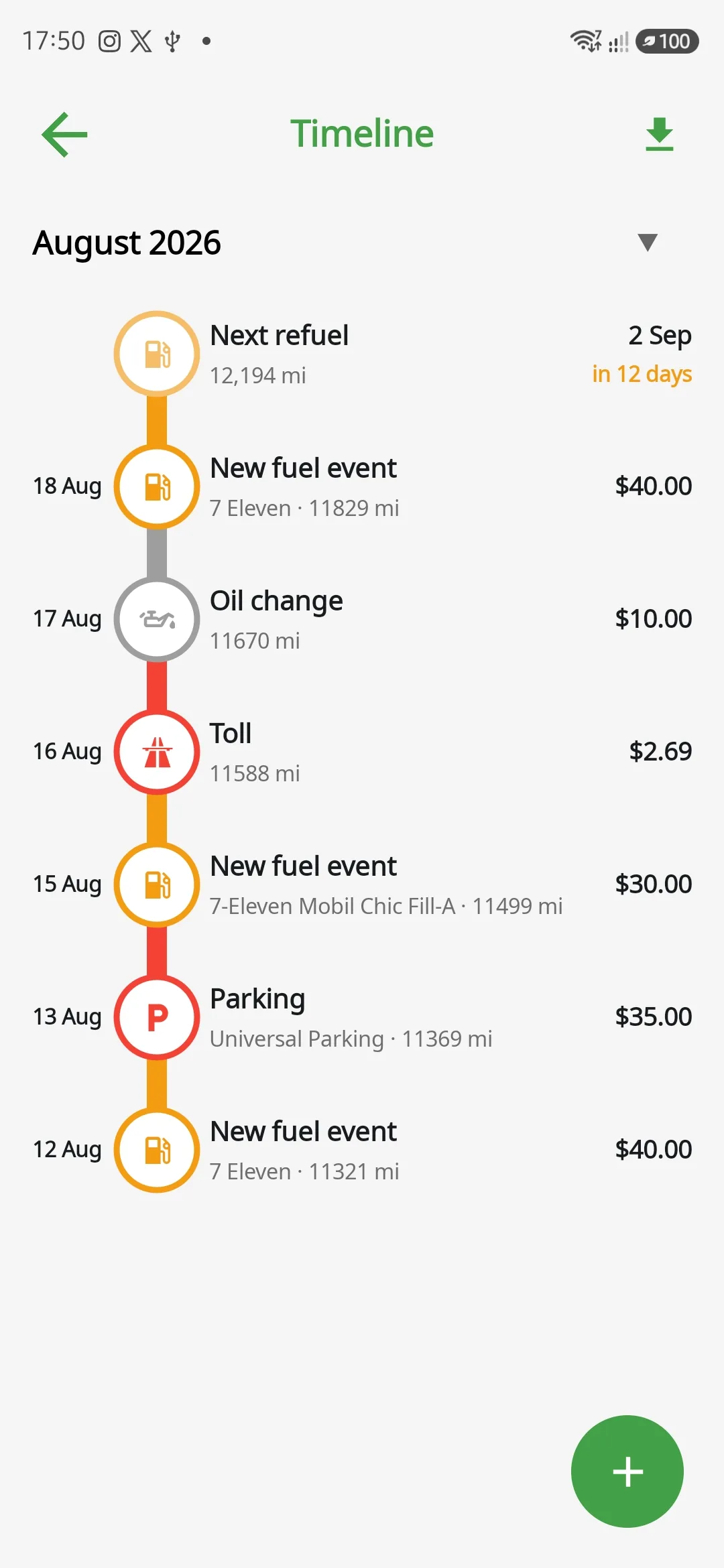
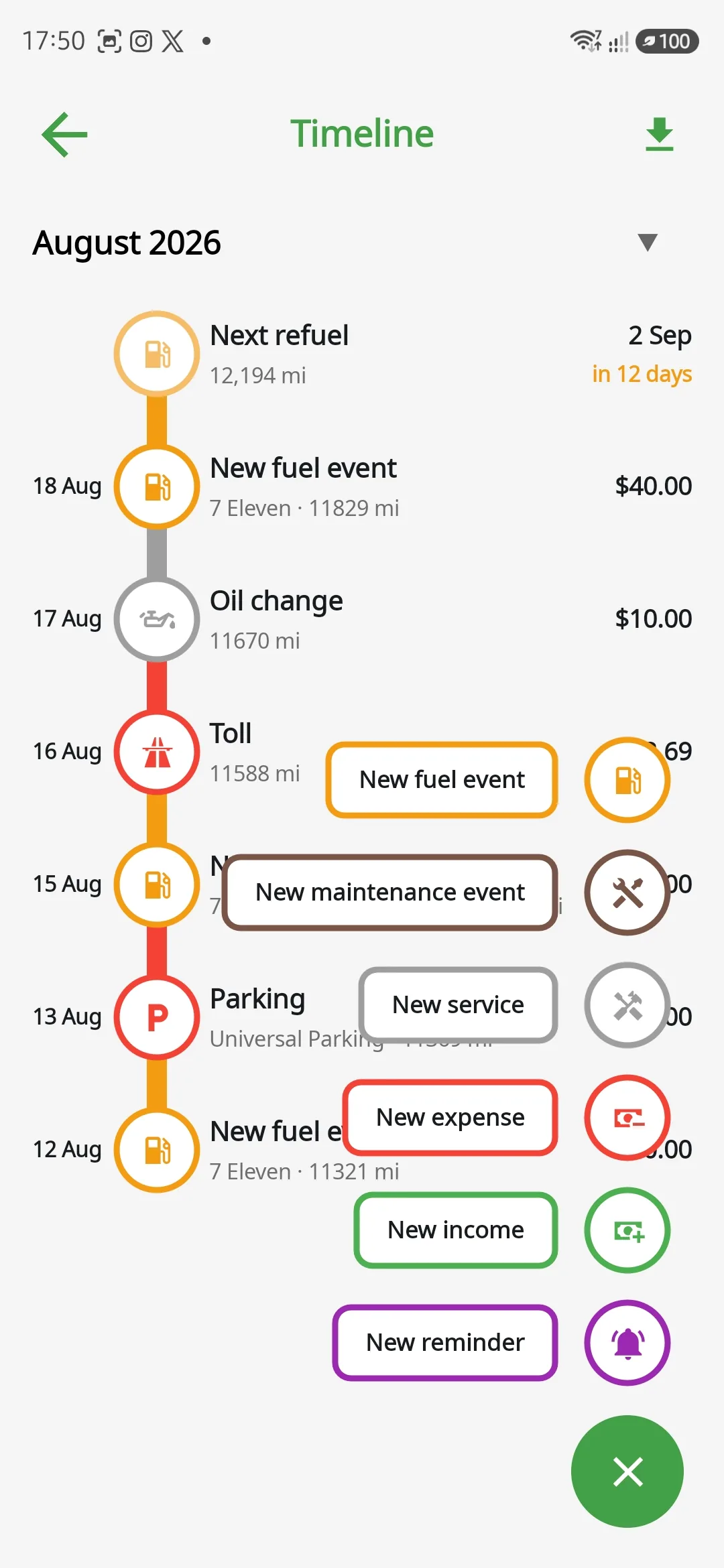
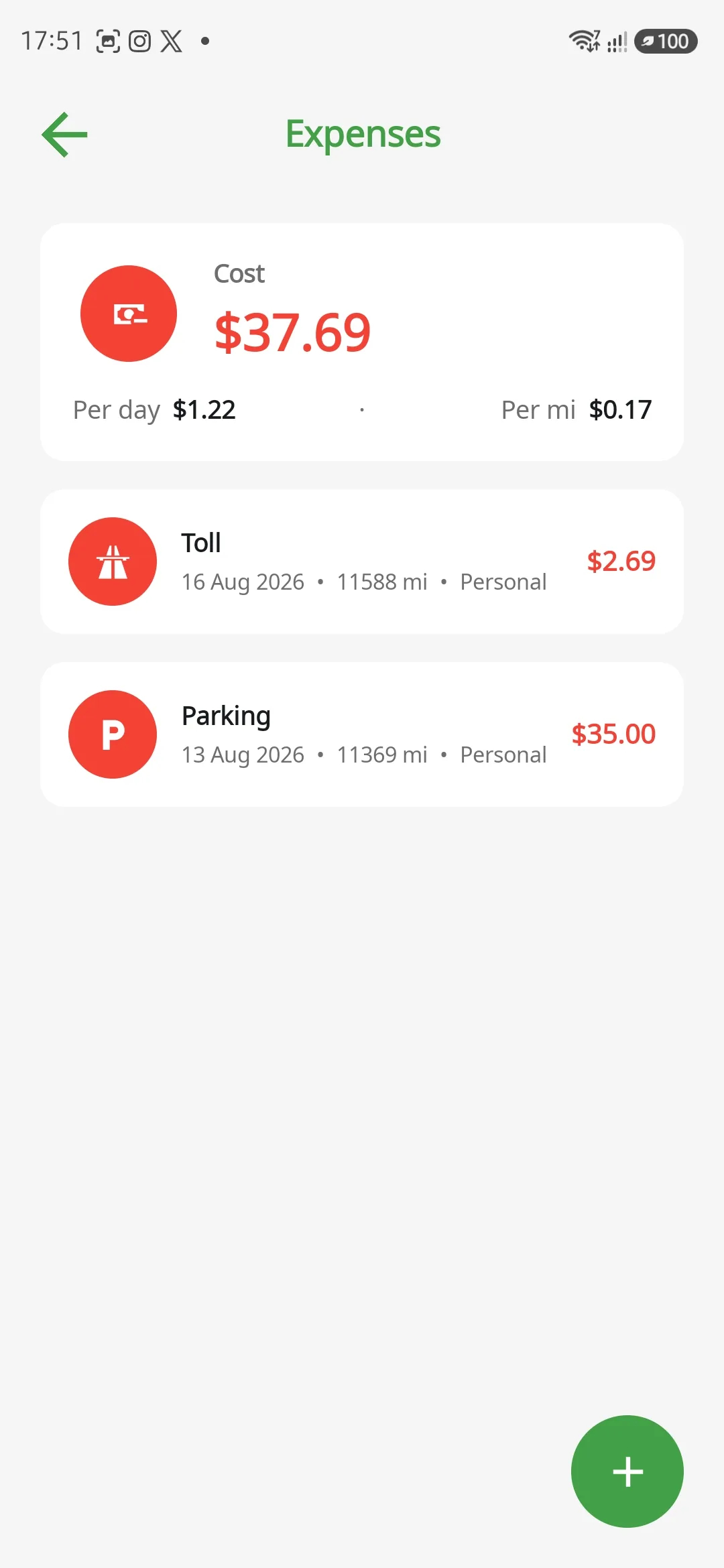
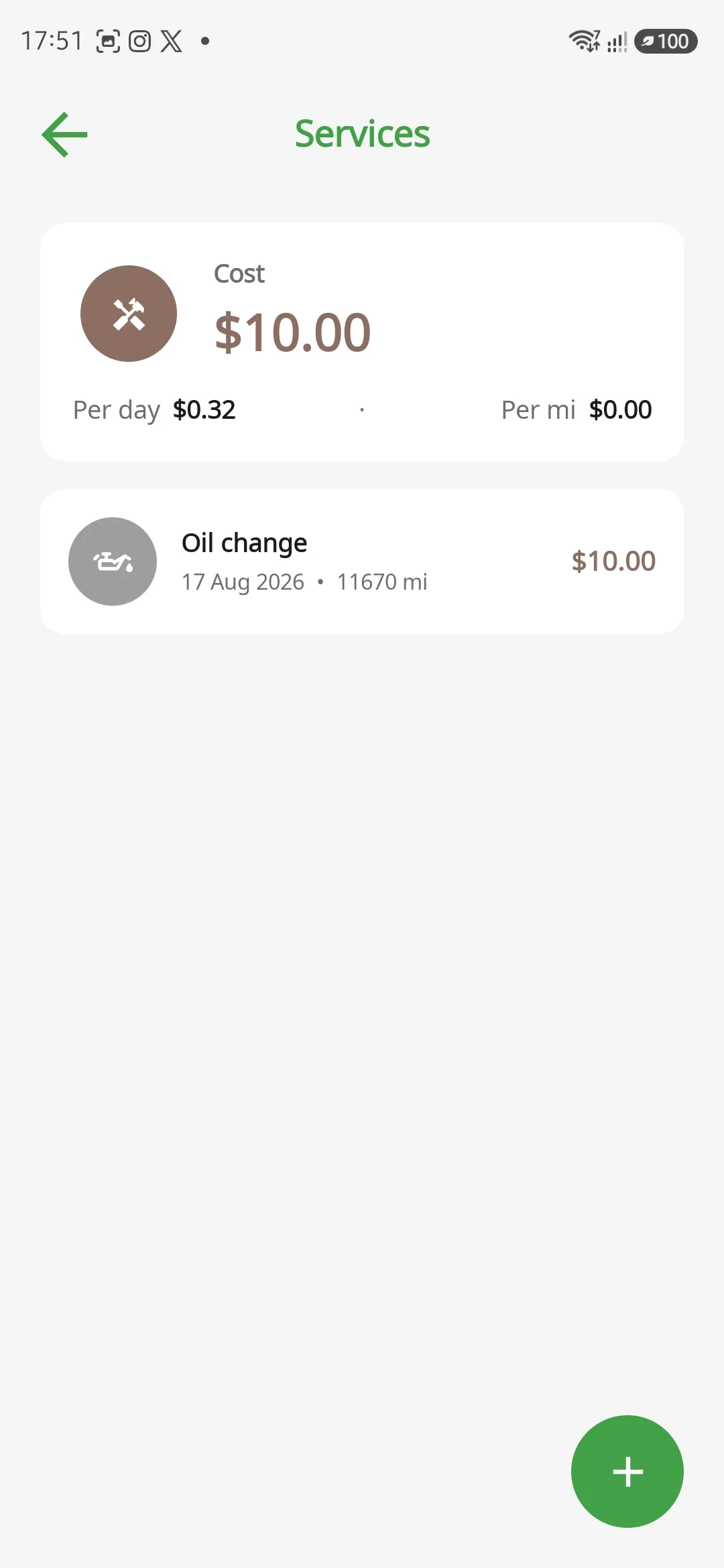
From fuel to the workshop, everything logged
A timeline showing fuel, insurance, tolls, fines, parking, washes, workshops, income and more, per vehicle.
- Ready-made types and categories, or create your own
- Attach receipts, payment method and more
- Automatic logging of recurring maintenance and services
- Keep personal spending separate from work
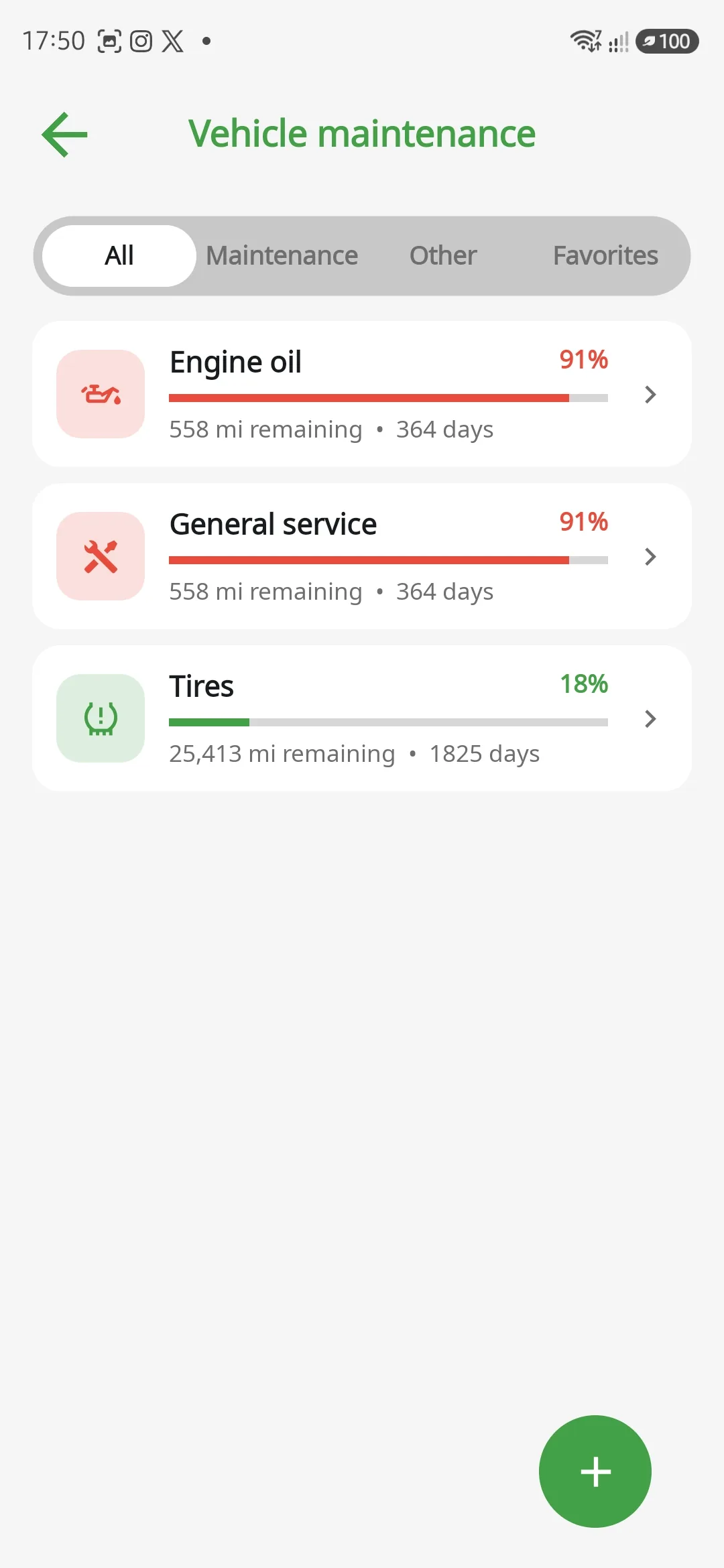
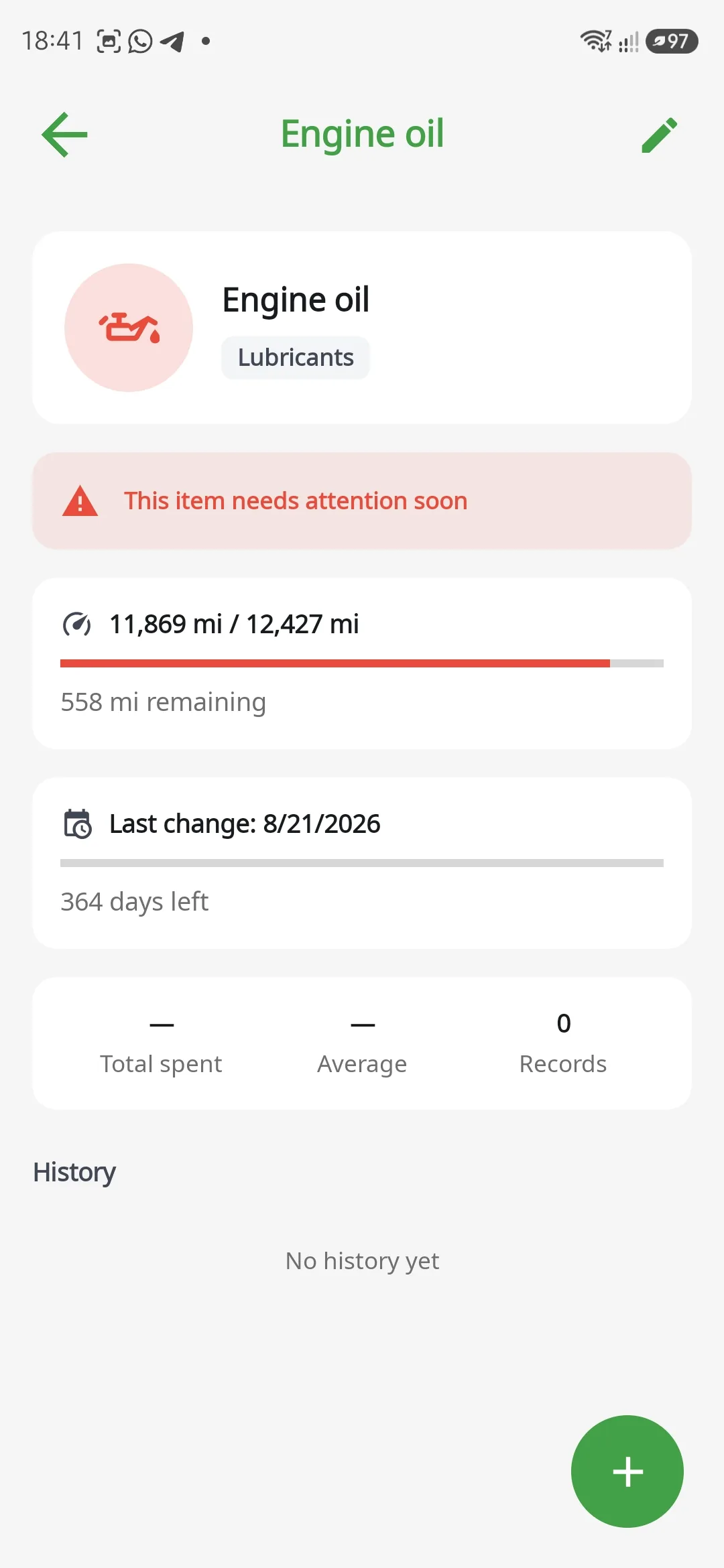
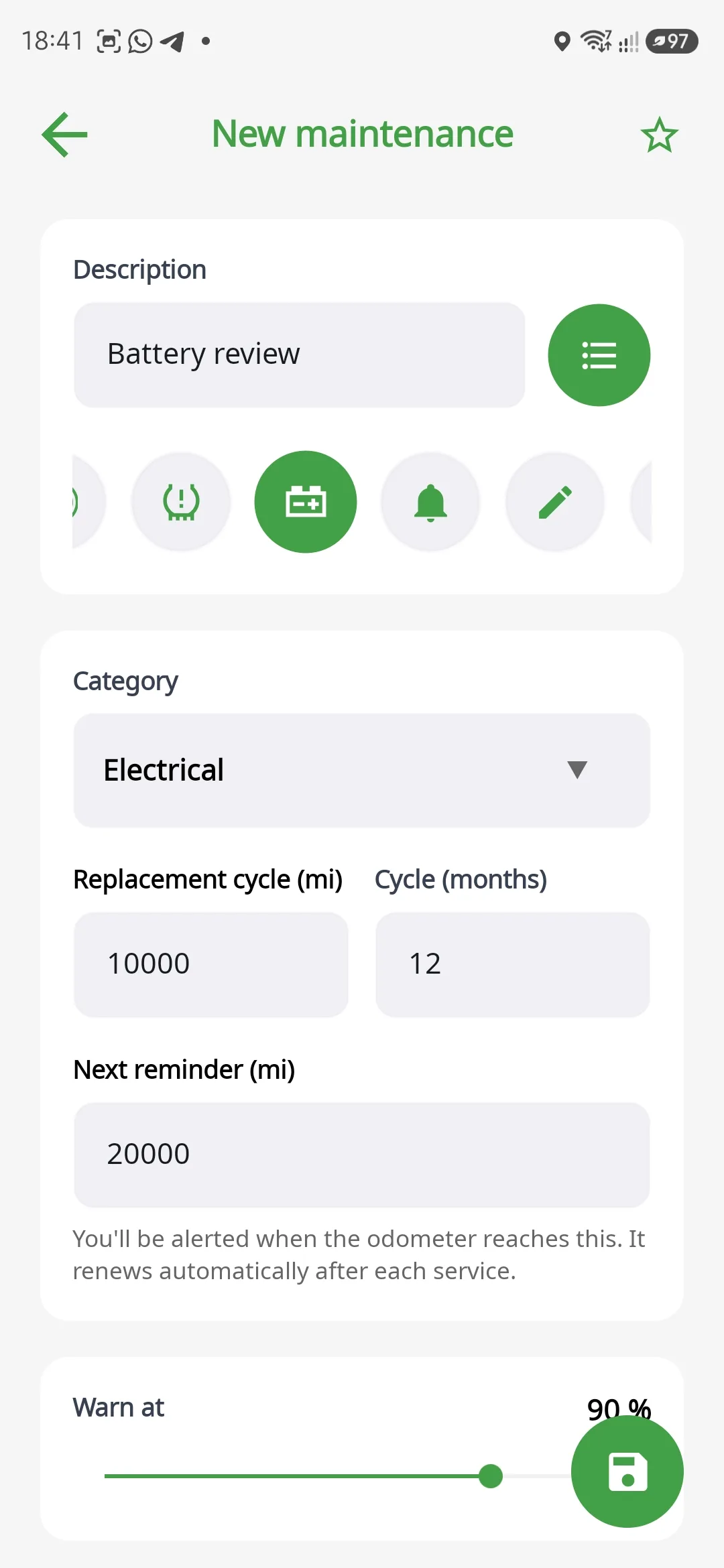
Maintenance by kilometre, or by time
Servicing, oil changes, filters, brakes and tyres tracked by distance and by time at once, based on the car's own odometer.
- Targets adjust to the next service milestone
- Logs the exact mileage and how long it has been overdue
- Reminders by mileage or by date
- Warns before it falls due, not after
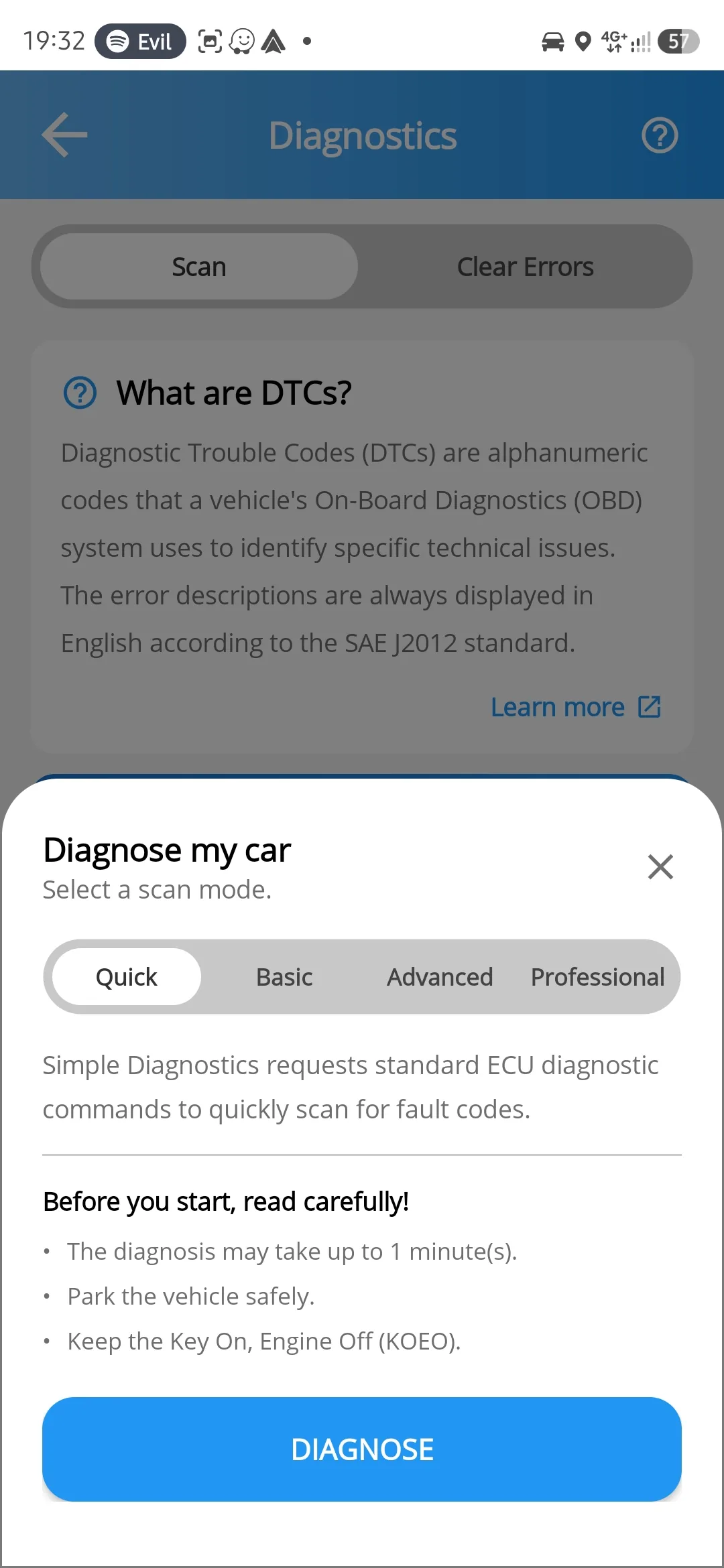
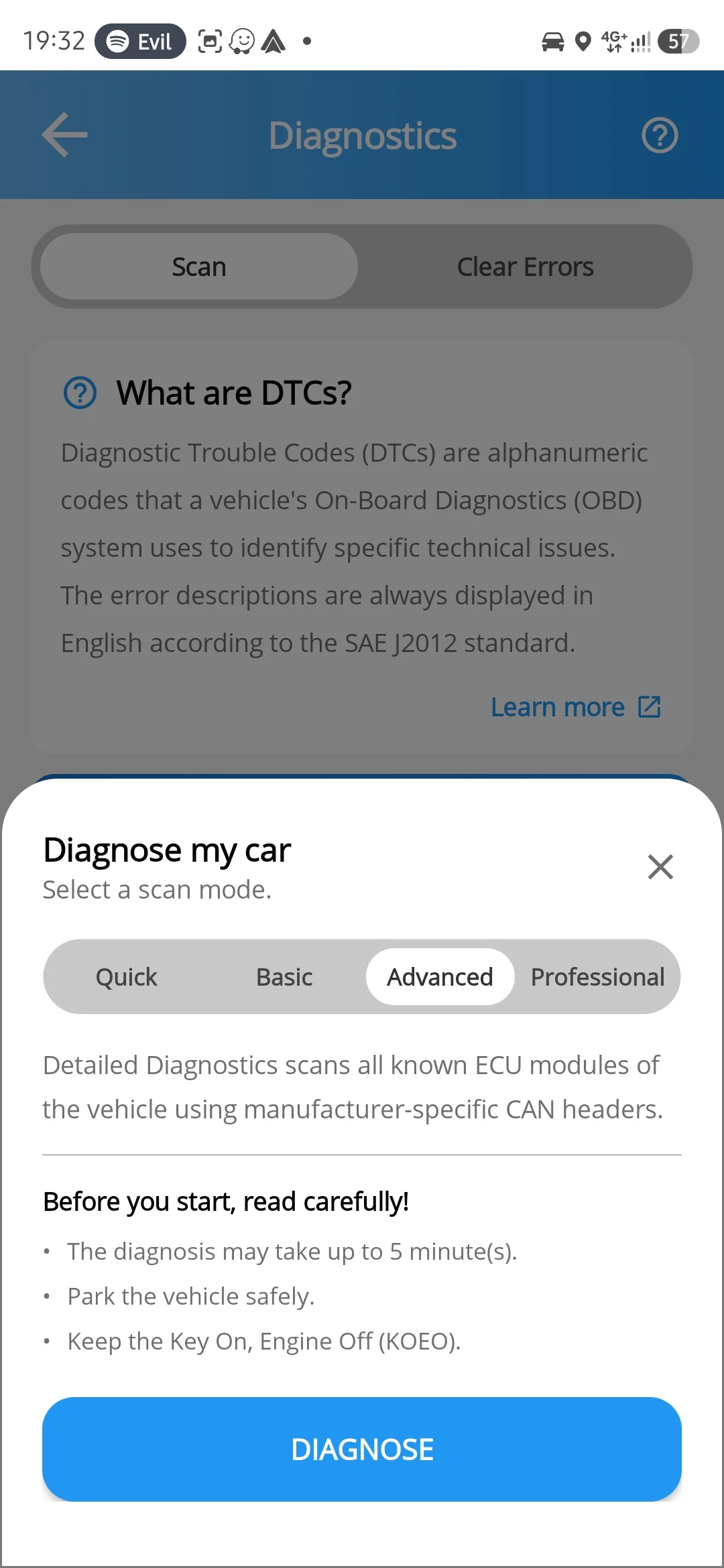
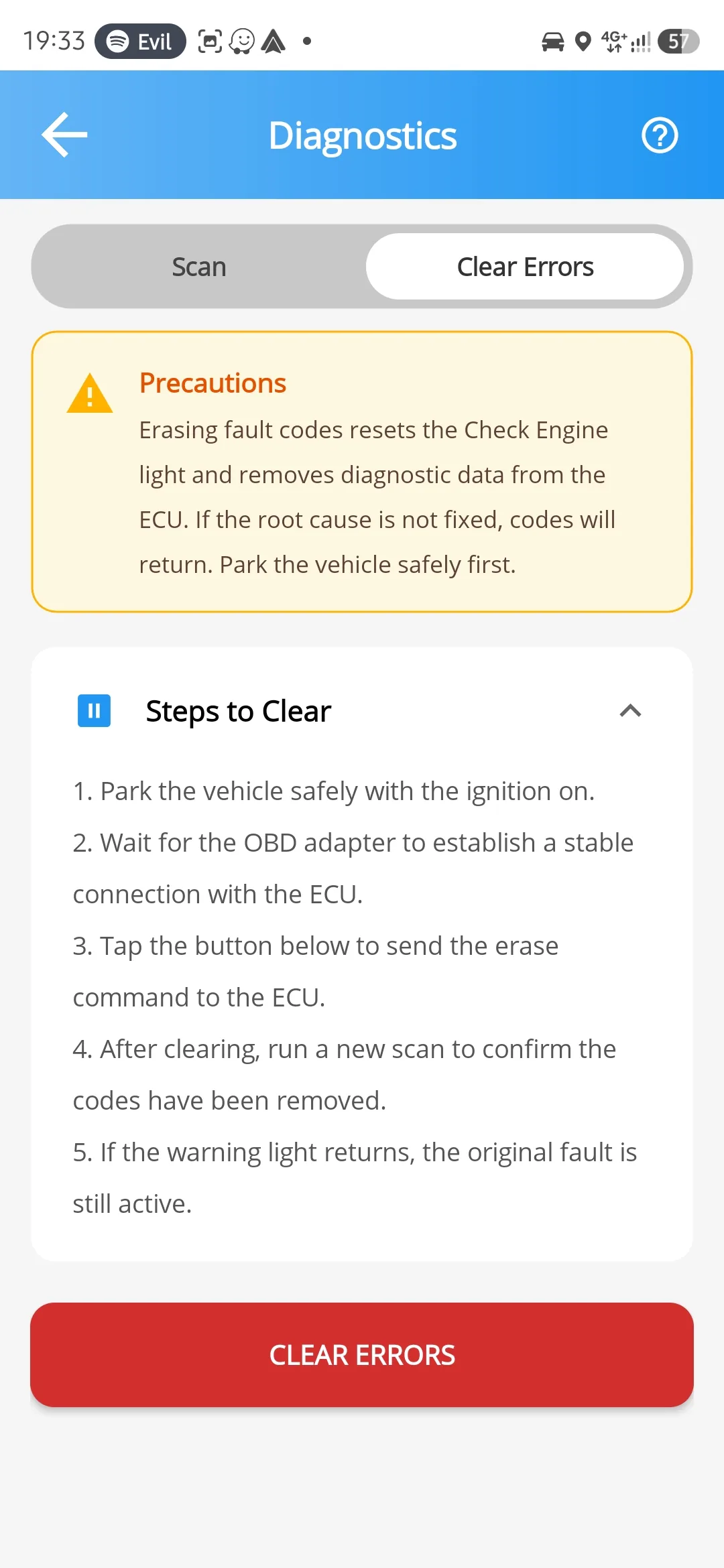
Professional diagnostics at four depths
Quick reads the standard codes in a minute and clears the light. Professional opens a diagnostic session on every module the car has.
- Over 22,000 fault codes, with over 2,000 carrying symptoms, cause and solution
- Over 700 ECU scan profiles across nearly 100 different makes
- Confirmed, pending and permanent, grouped by module
- Clear the codes and keep a history of what was done
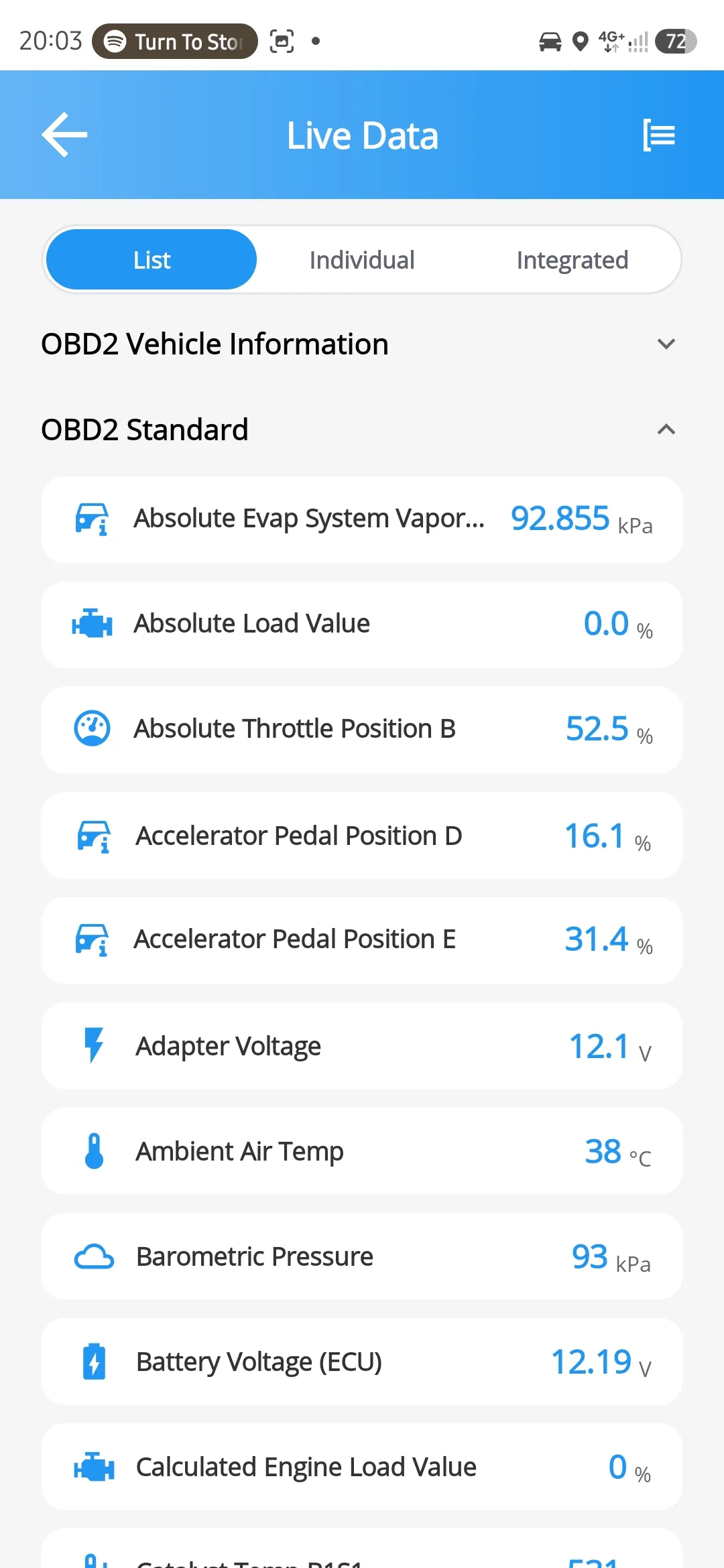
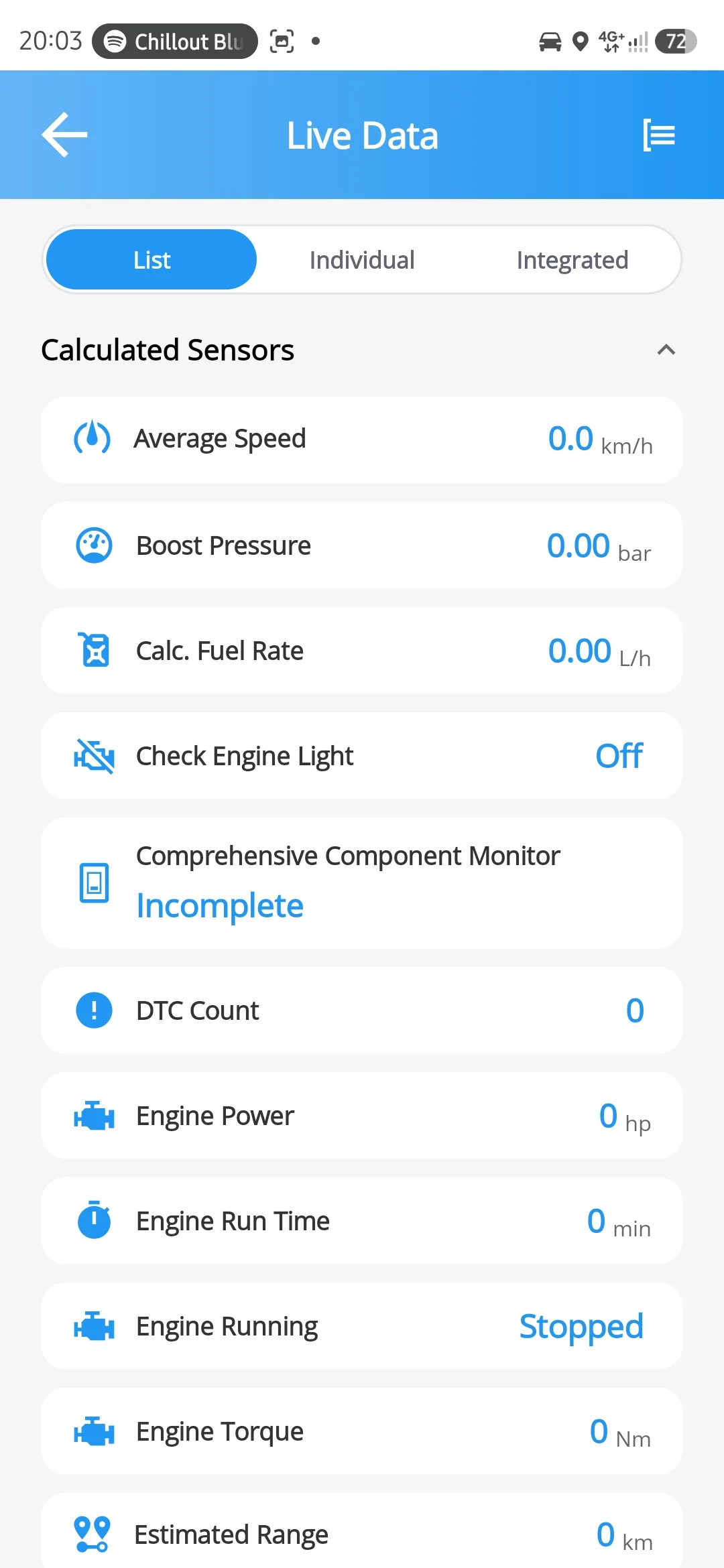
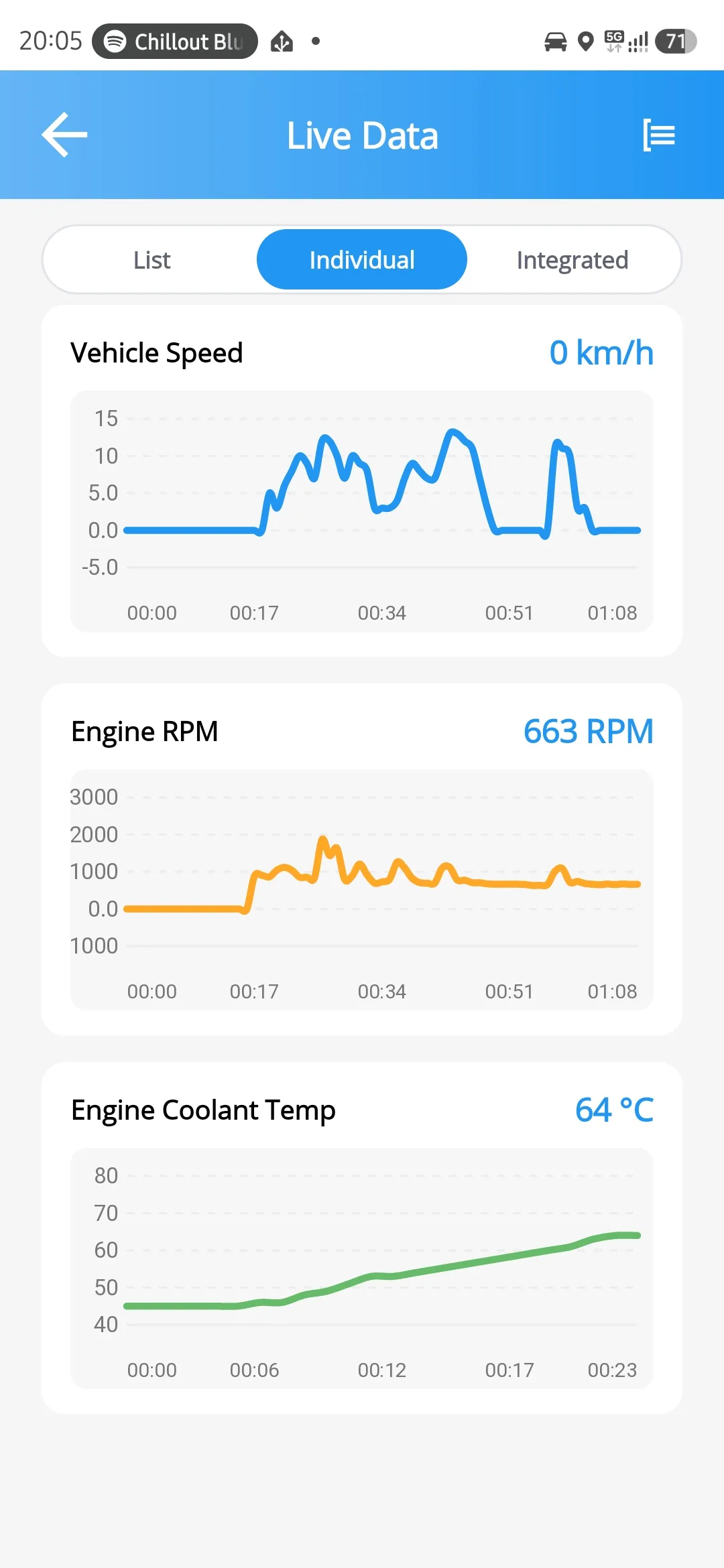
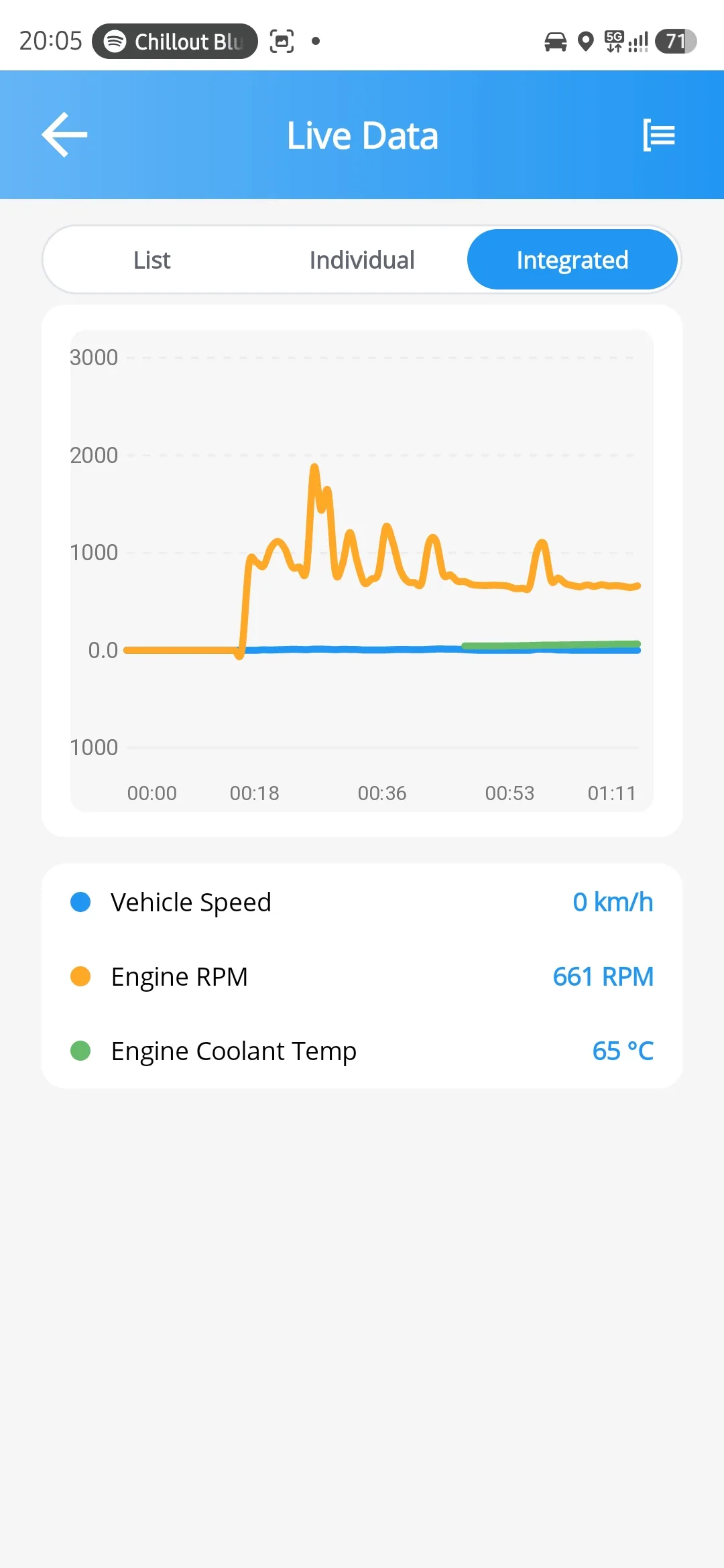
Live data at the rate your OBD adapter and your car can hold
As a list, as individual charts or all at once. Over 300 sensors ship in the app by default, and you can add many more.
- Calculated sensors with expressions and accumulators
- Per-sensor polling priority
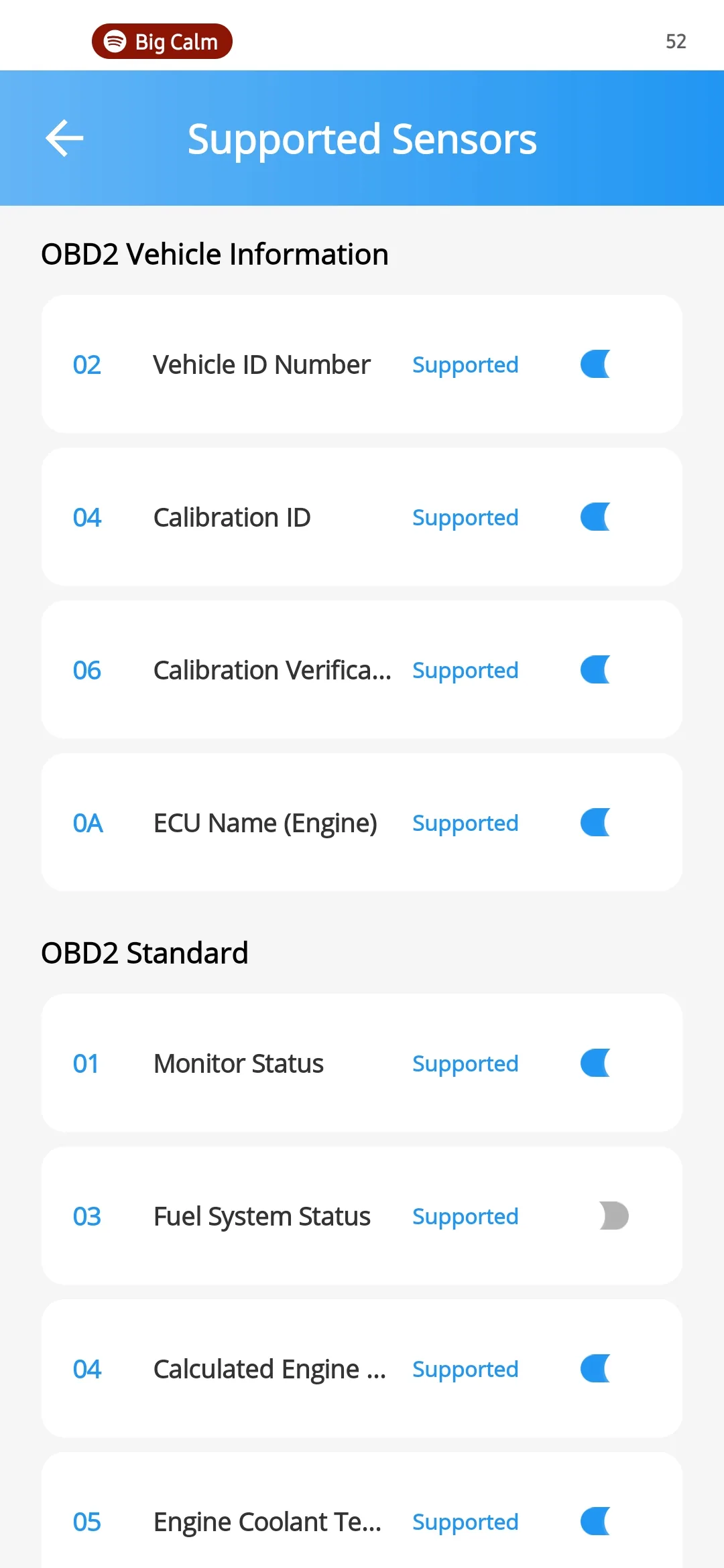
- Automatic discovery and validation of manufacturer profiles and sensors
- A terminal for testing ELM327 commands
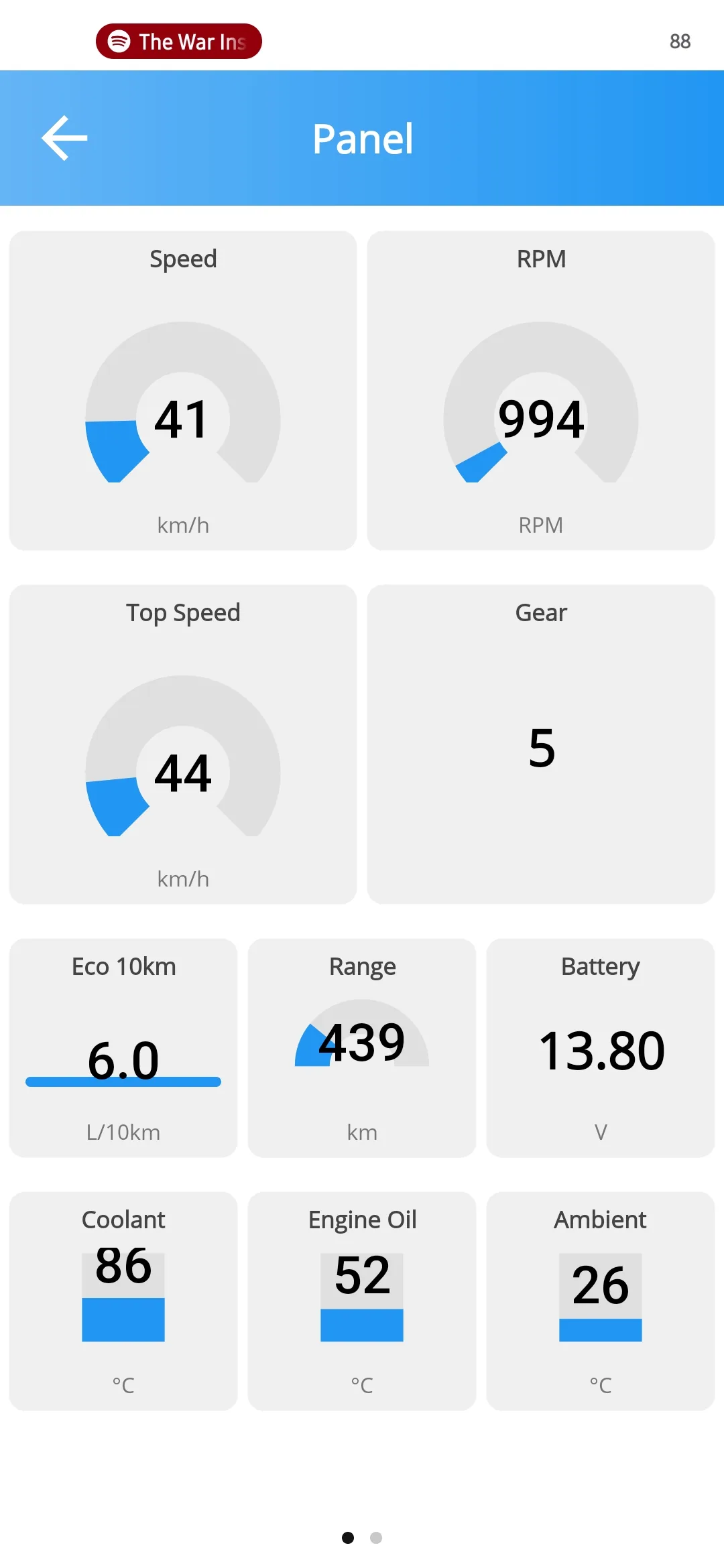
The dashboard is yours
Six widget types, any sensor on any of them, customise colours and alerts.
- Three switches per sensor: on, visible, exported
- The same panel on Android Auto and CarPlay
- A HUD mode for the windscreen
- Customisable charts per sensor
It also brings readiness monitors before the emissions test, an ELM327 terminal, and per-vehicle sensor discovery.